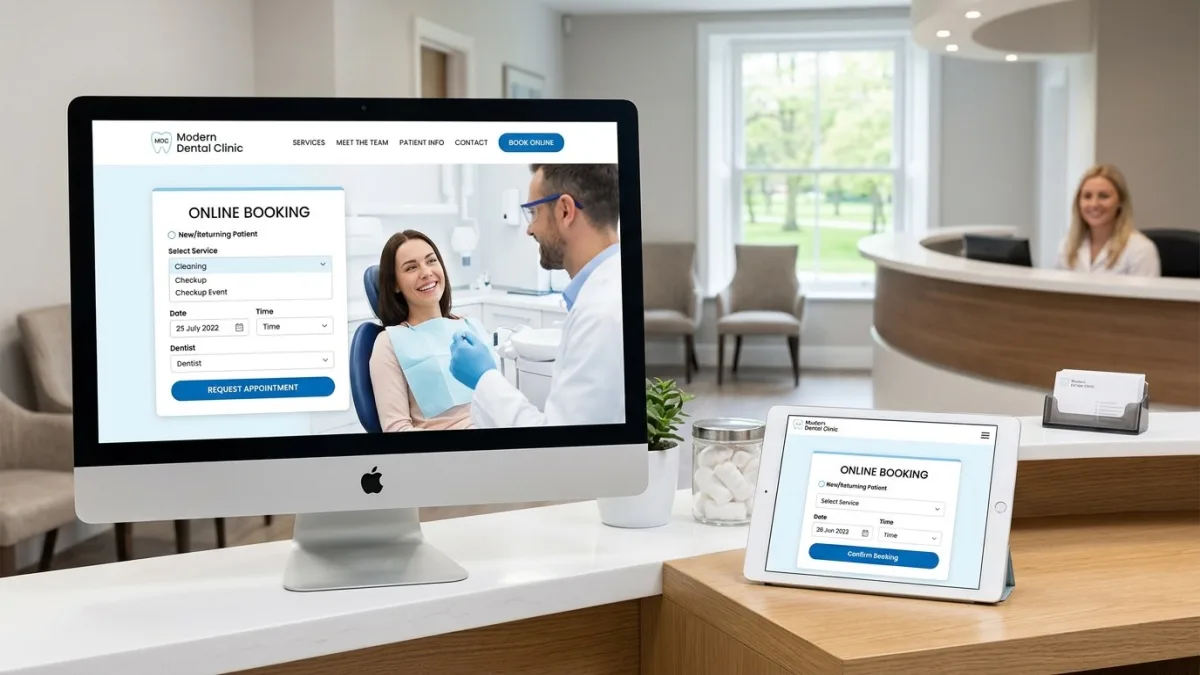
What is dental website design?
Dental website design is the strategic planning, visual design, and technical build of a practice's online presence with one primary commercial objective: converting website visitors into booked appointments. It is distinct from generic small-business web design because the buyer psychology, the regulatory environment, the content requirements, and the conversion mechanics are specific to healthcare — and specifically to dentistry.
A dental website visitor is typically at one of three stages: emergency (looking for same-day pain relief), evaluation (comparing practices before choosing a new dentist), or elective intent (researching Invisalign, veneers, or implants before committing to a consultation). A well-designed dental site addresses all three with a clear phone number and emergency CTA above the fold, a trust-building new-patient section for evaluators, and detailed treatment pages with pricing signals and before-and-after outcome descriptions for elective patients. Conflating these three audiences into a single generic homepage is the most common structural error in dental websites built by non-specialist designers.
For Canadian practices, dental website design also carries compliance dimensions that American or generic Canadian guides omit. Every provincial dental regulatory college — the Royal College of Dental Surgeons of Ontario (RCDSO), Quebec's Ordre des dentistes du Québec (ODQ), the College of Dental Surgeons of British Columbia (CDSBC), and equivalents in every province — regulates what a dentist can say and show in advertising. These restrictions govern the website in the same way they govern a billboard or a Facebook ad. A website that claims "best dentist in Toronto" or publishes unaccompanied before-and-after photos without the required disclosures is not just poor marketing — it is a potential college complaint and a licence risk. Getting the design right means understanding those rules before the first word is written.
Why Canadian dental practices need a purpose-built website
The Canadian dental market is competitive and increasingly digital. According to the Canadian Dental Association, there are over 21,000 practicing dentists in Canada and approximately 16,000 dental practices, with the vast majority concentrated in urban centres — Toronto, Montreal, Vancouver, Calgary, Ottawa, Edmonton — where a patient within a ten-minute drive may have thirty to sixty practices to choose from on Google Maps. The practices that appear first, instill the most trust, and make booking easiest win the new patient. The website is the engine of all three.
Consumer behaviour data from Google Canada shows that over 77% of patients search online before booking a new dentist, and over 60% of those searches occur on mobile devices. More importantly, 55% of dental Google searches include a local qualifier — "dentist near me," "dentist downtown Vancouver," "dentist accepting new patients Mississauga" — which means the website's local SEO performance and its Google Business Profile optimization are directly tied to new-patient volume. A generic website without location-specific landing pages, proper schema markup, and a verified Google Business Profile with active review management leaves that traffic to competitors.
The introduction of the Canadian Dental Care Plan (CDCP) in 2024–2025 has expanded the patient pool for practices that accept the plan, and many Canadians who previously deferred dental care due to cost are now actively searching for providers. Practices that had strong online visibility at launch — clear service descriptions, CDCP acceptance stated on the website, easy booking — captured a disproportionate share of this new patient wave. The lesson is structural: digital readiness determines who benefits from macro policy changes in healthcare, and the website is the foundation of that readiness.
Patient acquisition cost is also meaningfully lower through organic search than through paid advertising for dental practices. A Google Ads campaign for a Toronto dentist bidding on "Invisalign Toronto" currently runs CA$18–$45 per click, with conversion rates of 3–8%, implying a cost per new patient lead of CA$225–$1,500 from paid alone. A well-optimized website with high-ranking treatment pages can generate those same patient leads at a fraction of the ongoing cost, compounding in value over time rather than stopping the moment the ad budget runs dry. This economic case explains why the dental web design category has shifted from "nice to have" to a core practice growth investment for clinics of every size.
Provincial dental advertising regulations every website must respect
Every province has a dental regulatory college that governs what dentists may and may not say in advertising, and the website is explicitly covered by those rules. These are not advisory guidelines — they are conduct regulations enforced through the college complaint process and potentially through licence discipline. The summary below reflects each college's published advertising standards as of June 2026; verify directly with your college for any rule changes, as these standards are periodically updated.
Ontario — RCDSO. The Royal College of Dental Surgeons of Ontario's advertising standards prohibit claims that are false, misleading, or likely to deceive. Specifically: comparative claims ("best dentist in Brampton," "number one family dentist in Ontario") are not permitted unless they can be substantiated with verifiable, objective data — which in practice means they are essentially off-limits. Before-and-after photographs are permitted but only with patient written consent that includes specific disclosure language as set out by the RCDSO, and the images must not be used to create unrealistic expectations of treatment outcomes. Testimonials are permitted but must not contain comparative claims, must be genuine, and must not be incentivized. Claims about fees must be accurate and not misleading. The RCDSO's full advertising standard is available at rcdso.org.
Quebec — ODQ. The Ordre des dentistes du Québec prohibits advertising that is false, misleading, incomplete, or likely to lead to unreasonable expectations. Price advertising is permitted but must include all associated fees and not be used to attract patients in a way that could compromise professional judgment. Like the RCDSO, the ODQ is restrictive on before-and-after imagery. All advertising directed at Quebec consumers must also be in French as the primary language, with English permitted as a secondary language — designing English-first and appending a French translation fails this requirement; the French content must be substantively equivalent and equally prominent.
British Columbia — CDSBC. The College of Dental Surgeons of British Columbia's advertising guidelines align closely with RCDSO principles. BC dentists may advertise fees, office hours, services, and professional qualifications but may not use superlative claims, misleading comparisons, or patient testimonials that make claims about treatment outcomes in a way that creates unrealistic expectations. The CDSBC has historically been more permissive on testimonials than Ontario, provided they are genuine and non-comparative.
Alberta — RDAM / ADAA. The Alberta Dental Association and College (ADAC) permits advertising of fees, specializations, and office information, and generally follows similar principles to RCDSO regarding misleading claims and before-and-after imagery. Alberta dentists should review the ADAC's Standards of Practice document directly before publishing any promotional content.
The practical design implication of all of the above: dental website copy must be carefully reviewed against the applicable provincial rules before launch. Phrases like "state-of-the-art technology," "gentle dentist," or "we care more" are typically fine as subjective expressions. Claims like "lowest prices in Vancouver" or "voted best dentist in Calgary" require substantiation or should not appear at all. Before-and-after galleries need a documented patient consent workflow, not just a generic checkbox. Every treatment outcome described should include appropriate disclaimers about individual variation. Many dental web design agencies build template sites and copy without legal review — it is the practice's licence that is at risk, not the agency's.
Online booking integration — the new-patient conversion engine
A contact form is not a booking system. A phone number is not a booking system. The single highest-impact improvement a dental practice can make to its website in 2026 is replacing every "book an appointment" CTA with a live calendar widget that shows real-time availability and allows a patient to confirm a specific time slot without making a phone call. The conversion rate difference between a form and a live booking widget is consistently 2x to 4x in favor of the booking widget, based on dental practice analytics across multiple Canadian markets.
Why? Because patients searching for a dentist at 9 PM on a Sunday — one of the highest-traffic periods for dental searches — will not call your voicemail. They will either book with the next practice that has online scheduling, or they will defer the decision entirely and search again in a week. Deferral is the enemy of patient acquisition. A booking widget captures the decision at the moment of peak intent.
The dominant booking integrations used by Canadian dental practices are:
Jane App. Canadian-owned and headquartered in Vancouver, BC. Jane App is purpose-built for Canadian allied health and dental practices, is hosted on Canadian servers (important for provincial health privacy compliance), and provides a Business Associate Agreement (BAA) equivalent under PIPEDA and PHIPA. It integrates with a wide range of practice management software and provides a patient-facing booking portal that can be embedded directly in the practice website as an iframe or via a linked portal. Jane App's patient forms and intake features allow practices to collect new-patient health history online before the first appointment — a significant administrative saving.
Dentrix Patient Engage. Part of the Henry Schein Dentrix ecosystem widely used by Canadian practices. Patient Engage provides online booking, appointment reminders, two-way texting, and reputation management (review request automation). Dentrix is the dominant practice management software in Canada, so Patient Engage integration is seamless for practices already on Dentrix. The limitation is that Patient Engage's booking widget is less visually customizable than Jane App.
ABELDent. A Canadian-developed practice management system with its own patient portal and online booking. ABELDent is popular among practices that prioritize Canadian data sovereignty — their servers are operated in Canada, which simplifies PHIPA compliance documentation. ABELDent's booking integration requires the practice website to link out to the ABELDent patient portal rather than embedding a widget inline, which creates a visible user experience break.
Open Dental / Curve Dental. Both offer API-accessible scheduling that a custom website build can integrate as a native widget, providing the smoothest patient experience. This approach requires more development investment (typically CA$2,000–$5,000 in custom API work) but eliminates the visual break of a redirect to an external booking portal.
Regardless of which system you use, the booking widget should be embedded or prominently linked on: the homepage hero, the header navigation (persistent across all pages), every treatment page, the new-patient page, and the contact page. Every extra click between "I want to book" and a confirmed appointment slot costs conversions.
Treatment pages that earn trust and explain procedures
A treatment page is a dedicated landing page for a single dental service — Invisalign, dental implants, teeth whitening, veneers, emergency dentistry, Botox for TMJ, and so on. Treatment pages do three jobs simultaneously: they inform the patient, they convince the patient that the practice can deliver this specific service expertly, and they rank in Google for the service-plus-location keyword. A generic services page that lists fifteen treatments in bullet points does none of these jobs well.
The anatomy of a high-performing Canadian dental treatment page includes: a title that names the treatment and the city ("Invisalign in Mississauga — Clear Aligners for Adults and Teens"); a clear one-paragraph explanation of what the treatment is and who it is for, written for a patient who knows nothing; a "what to expect" section covering consultation, treatment process, timeline, and aftercare; pricing signals in CAD (even a range is more useful to patients than no number at all — "Invisalign at our Mississauga practice starts at CA$4,500"); a FAQ section answering the questions patients actually ask (these are sourced from "People Also Ask" boxes in Google for your keyword and from your front desk's incoming call log); a call-to-action to book a consultation; and genuine patient reviews specific to that treatment, marked up with Review schema.
High-priority treatment pages to build first — based on search volume and revenue per patient in the Canadian market — are: Invisalign / clear aligners, dental implants, teeth whitening (in-office), veneers and cosmetic dentistry, emergency dental care, wisdom tooth extraction, and children's dentistry / pediatric dental care. For practices offering sedation dentistry, dental anxiety / nervous patient content often converts better than procedure-specific pages because it addresses the underlying barrier that prevents the patient from booking at all.
For the highest-value elective treatments — implants and veneers particularly — the treatment page should include a Canadian Dental Care Plan (CDCP) section that explains whether and how the treatment is covered, because this is now one of the most searched questions for these procedures. Practices that answer this question clearly on their website convert CDCP-eligible patients at dramatically higher rates than those who leave the question to the phone call.
New-patient capture: forms, CTAs, and intake design
The new-patient conversion funnel on a dental website is: visit → trust → intent → booking. The design decisions at each transition point determine whether a visitor becomes a booked appointment. Most dental websites lose patients at the "intent → booking" transition by presenting either a generic contact form that feels like a dead end, or a phone number that requires calling during business hours.
A dedicated New Patients page is among the highest-converting pages on any dental website. It should exist as a named URL ("/new-patients/") accessible directly from the navigation, and it should answer the ten questions every first-time patient has before they call: Are you accepting new patients? Do you take my insurance or the Canadian Dental Care Plan? How do I book a first appointment? What should I bring? What will the first visit be like? Where are you located and where can I park? What are your hours? Who are the dentists I will see? What if I have dental anxiety? What does a checkup cost? Answering these questions in full — not deflecting them with "call us to find out" — is the difference between a page that converts and one that confirms the visitor should keep looking.
Online intake forms are a complementary conversion tool. Pre-visit health history forms, insurance information collection, and consent documents delivered digitally (via Jane App's form library or Dentrix forms) reduce the administrative burden on both the practice and the patient. They also create a natural point of engagement before the first appointment, building a relationship that improves show rates. New patients who complete digital intake forms before their first appointment show up at a rate roughly 15–20% higher than those who receive only a confirmation email — the completion of the form creates a commitment anchoring effect.
CTAs throughout the site should be specific, not generic. "Book a cleaning" converts better than "Book an appointment." "Get your free Invisalign consultation" converts better than "Contact us." "Emergency? Call now — same-day appointments available" converts better than a phone number alone. The specificity signals to the visitor that the practice understands what they need and has capacity to deliver it today, which removes the hesitation that kills inbound conversion.
Dental website design pricing in Canada (2026)
Pricing reflects scope: the number of treatment pages, booking integration complexity, bilingual requirements, photography, and whether ongoing SEO and content are included. The ranges below reflect senior Canadian agency or specialist freelance rates in 2026:
| Tier | Scope | CAD price range | Timeline |
|---|---|---|---|
| Template / DIY (Wix, Squarespace) | Platform template, 5–8 pages, no booking widget integration, no SEO setup | $0 – $2,000 | 1 – 3 weeks self-built |
| Entry professional | WordPress or Webflow, 10–15 pages, Jane App or Dentrix booking widget embedded, basic local SEO | $4,500 – $8,000 | 5 – 7 weeks |
| Full-service dental website | Custom design, 15–25 treatment pages, booking integration, new-patient page, PHIPA-compliant forms, professional photography direction, Google Business Profile setup | $8,000 – $18,000 | 8 – 12 weeks |
| Multi-location group practice | Hub-and-spoke architecture, separate location pages, centralized booking with location routing, bilingual EN/FR, schema for each location | $18,000 – $50,000 | 12 – 22 weeks |
| Monthly care + SEO plan | Hosting, updates, monthly blog article, GBP monitoring, performance reporting, and review request campaigns | $200 – $600/mo | Ongoing |
The most common pricing mistake dental practices make is selecting a low-cost website builder or a non-specialist agency to save money on the build, then spending CA$800–$2,000 per month on Google Ads to compensate for a website that does not convert organic traffic. The math rarely works. A CA$10,000–$15,000 investment in a properly built website with strong local SEO foundations typically reduces the cost-per-patient-acquired from paid search within 6–12 months, often to the point where paid spend can be reduced or redirected into higher-ROI channels like Google Business Profile optimization and review acquisition campaigns.
Photography is the most frequently underbudgeted line item. Patient trust correlates strongly with the quality of team photography on a dental website — it is the single highest-correlated visual element with booking rates in healthcare. Budget CA$800–$2,500 for a professional dental practice photoshoot (team headshots, operatory, reception, exterior). Stock photography of dentists and patients is immediately recognizable to visitors and erodes the trust-building effect that the team page is designed to deliver. For a detailed pricing breakdown by scope, see the full website cost guide.
Platform comparison: WordPress vs Wix vs custom dental CMS
Platform choice for a dental website is less consequential than content and local SEO strategy, but it does affect design flexibility, SEO ceiling, ongoing maintenance burden, and the range of booking integrations available. Here is an honest assessment for the Canadian dental practice context:
| Platform | Design flexibility | SEO ceiling | Booking integration | Monthly cost | Best for |
|---|---|---|---|---|---|
| WordPress | Very high | Highest (full control) | All major systems via plugin or iframe | $25 – $80/mo hosting | Most practices — maximum flexibility and SEO |
| Webflow | Very high | High (clean code) | iframe embed or Zapier automation | $23 – $49/mo | Design-focused practices wanting easy visual editing |
| Wix | Medium | Medium (improving) | Jane App via iframe; Wix Bookings native (not dental-specific) | $17 – $35/mo | Solo practices with small budget; DIY builds |
| Squarespace | Medium | Medium | Jane App or Acuity via iframe | $20 – $40/mo | Aesthetic-forward practices; not recommended for multi-location |
| Dental-specific CMS (Smile Marketing, ProSites) | Low (templates only) | Low to medium | Built-in but limited | $150 – $400/mo all-in | Practices that want full-service vendor with zero maintenance overhead |
WordPress is the recommended platform for most Canadian dental practices that want competitive organic search performance. It offers the highest degree of control over technical SEO elements — XML sitemaps, schema markup, URL structure, page speed optimization — and works with every major Canadian booking integration. The maintenance requirement is real: WordPress core, theme, and plugin updates must be applied monthly, and a security vulnerability in an unpatched plugin is a meaningful risk for a site that may collect patient contact information. A monthly maintenance plan from a reputable Canadian agency (CA$100–$250 per month) is worth every dollar for the average practice.
Dental-specific CMS platforms like ProSites or Smile Marketing are "done for you" solutions where the vendor handles hosting, design, content, and sometimes SEO. The trade-off is limited customization, templated design that looks identical to hundreds of other practices using the same vendor, and ongoing fees that typically run CA$150–$400 per month regardless of whether the vendor is delivering value. For practices with no internal bandwidth to manage a website, these platforms are a reasonable operational choice. For practices competing seriously for high-value patients in urban markets, the SEO ceiling of these platforms tends to be a long-term constraint. For a comprehensive platform analysis, see the website platform comparison guide.
Accessibility requirements: AODA and WCAG 2.1 for Ontario dental websites
Ontario's Accessibility for Ontarians with Disabilities Act (AODA) and its Integrated Accessibility Standards Regulation require designated organizations to meet Web Content Accessibility Guidelines (WCAG) 2.0 Level AA for websites serving Ontario residents. While private-sector dental practices are not individually mandated under the current AODA compliance schedule — requirements currently apply to large organizations and the public sector — WCAG 2.1 Level AA has become the de facto professional standard for any Canadian healthcare website, and departures from it create measurable patient experience problems alongside legal exposure as accessibility class actions targeting healthcare websites have increased in the United States (where ADA standards are equivalent to WCAG 2.1 AA) and could extend to Canada.
For dental websites specifically, the most common accessibility failures are: insufficient colour contrast between text and background (particularly on light-grey-on-white design trends popular in dental aesthetics); missing or inadequate alt text on team photos and treatment before-and-after images; booking forms and intake forms that are not keyboard-navigable (a patient with a motor disability who cannot use a mouse must be able to complete the booking flow with keyboard alone); PDF files for patient forms that are not tagged for screen readers; and video content (virtual practice tours, Invisalign explainers) without captions. Each of these failures excludes a patient population and in some contexts represents a legal risk.
Practical remediation steps for a dental website audit: run automated testing with the axe browser extension or Google Lighthouse accessibility audit; validate colour contrast ratios using the WebAIM Contrast Checker (minimum 4.5:1 for normal text); test the booking form and contact form with keyboard only; verify all images have meaningful alt text in the CMS; and ensure the ARIA labels on navigation, modals, and form fields are complete. These are not deep technical lifts — the majority of dental website accessibility issues can be resolved in one focused sprint by a developer familiar with WCAG 2.1. Schedule the audit annually, or after any major redesign.
Accessibility also has a direct local SEO benefit. Google's page experience ranking signals include mobile usability and Core Web Vitals — performance factors that correlate tightly with accessibility best practices (clean semantic HTML, optimized images, minimal render-blocking JavaScript). A dental website that scores 90+ on Google Lighthouse accessibility tends to also score well on performance, which contributes to higher organic ranking positions for your local patient search terms. Accessibility and search performance are not competing objectives — they are complementary, and investing in one typically improves the other.
Local SEO for Canadian dental practices
Local SEO is the discipline of appearing in Google's Local Pack (the map and three business listings shown for local searches) and in organic results for geographic dental queries — "dentist accepting new patients in Burnaby," "emergency dentist open Saturday Winnipeg," "pediatric dentist Calgary NW." For most dental practices, 80–90% of new patients who arrive through search are using local queries. The website's local SEO performance is therefore directly tied to practice revenue.
The foundational local SEO requirements for a Canadian dental website are: correct and consistent NAP (name, address, phone number) on the website, on the Google Business Profile, and in every local directory listing (YellowPages.ca, Canada411, Yelp Canada, RateMDs); LocalBusiness and Dentist schema markup on the homepage and contact page (structured data that tells Google your hours, services, and location explicitly); individual location pages for every practice location if you operate multiple offices (one URL per location, not a single page listing all of them); and a Google Business Profile with updated hours, a current description, photos of the practice interior and team, and a consistent review acquisition strategy.
Reviews are the single most powerful local ranking factor after proximity and relevance. Canadian Google Maps results for dental searches are dominated by practices with over 100 Google reviews and an aggregate rating above 4.5 stars. A practice with 30 reviews at 4.8 stars will routinely lose Local Pack position to a competitor with 150 reviews at 4.3 stars — quantity matters more than perfection in Google's local algorithm. Design a systematic review request into the patient workflow: an automated post-appointment email or text (via Jane App, Dentrix Engage, or a standalone tool like Birdeye) that sends a direct Google review link 24–48 hours after the appointment. Even a 10–15% review response rate compounds rapidly at 300 to 500 patient appointments per month.
Location-specific landing pages deserve special attention for multi-location groups, but also for solo practices serving a defined geographic area. A single-location practice in North York should have a page targeting "dentist North York" with content that references the neighbourhood, nearby landmarks, transit access, and parking — all signals that help Google understand the geographic relevance of the page. These pages should not be thin or duplicate-content versions of the homepage; they should include locally relevant content that genuinely serves patients in that area. For a complete framework, see the local SEO guide for Canadian businesses.
Patient privacy and health information: PHIPA, PIPEDA, and your website
Canadian dental practices that collect personal health information through their websites are subject to provincial health privacy legislation. In Ontario, this is the Personal Health Information Protection Act (PHIPA). Alberta has the Health Information Act (HIA). Saskatchewan, Manitoba, Nova Scotia, Prince Edward Island, and Newfoundland all have their own health information protection legislation. British Columbia's Personal Information Protection Act (PIPA) governs most private-sector health information. Quebec's Law 25 (an amendment to An Act Respecting the Protection of Personal Information in the Private Sector) imposes additional obligations including mandatory privacy impact assessments for new technology and a named Privacy Officer for businesses above a certain size threshold.
What this means concretely for website design: any contact form, booking intake form, insurance inquiry form, or health history questionnaire that collects information related to a person's health is collecting personal health information (PHI) and is subject to the applicable provincial legislation. The website must publish a Notice of Privacy Practices that explains what information is collected, for what purpose, how it is protected, how long it is retained, and how patients can request access or correction. This notice is a legal document — it should be drafted or reviewed by a healthcare privacy lawyer, not copied from an American HIPAA notice template.
Technical design requirements for PHIPA compliance on a dental website: all forms that collect PHI must transmit data via HTTPS with TLS 1.2 or higher (this is a baseline that all modern websites meet, but must be verified); form data must be stored in a system that encrypts data at rest and limits access to authorized staff; email is not a PHIPA-compliant channel for transmitting PHI — contact forms that email patient health information to an unsecured general-purpose inbox (Gmail, Outlook with no encryption) are a compliance failure; booking integrations like Jane App (PHIPA-compliant BAA available) address this by handling PHI within their own compliant infrastructure rather than passing it through the practice's email server.
PIPEDA (the federal Personal Information Protection and Electronic Documents Act) applies to PHI in provinces without substantially similar provincial legislation — and it applies to all dental practices operating federally regulated services or communicating across provincial borders. PIPEDA requires meaningful consent for data collection, limits use of personal information to the stated purpose, and requires a documented process for data breach notification — now mandatory within 72 hours of discovery for breaches that create a real risk of significant harm. The Office of the Privacy Commissioner of Canada (priv.gc.ca) publishes guidance and a self-assessment tool for healthcare businesses. Building PIPEDA and PHIPA compliance into the website architecture from the start is materially less expensive than remediating a complaint or breach after the fact.
Mobile-first design for patients booking on their phones
Dental website traffic is heavily mobile — over 60% of visits in most practice analytics come from smartphones. Patients searching for a dentist while in pain, or during a commute, or while a child is misbehaving in the waiting room of another clinic are operating on small screens under time pressure. Mobile-first design for a dental website is not a stylistic choice; it is the structural default that every layout, typography, and interaction decision must begin from.
The phone number must be tappable — a tel: link — on every page, above the fold, in a font size that is readable without zooming. The booking CTA button must be tappable with a thumb on a 5-inch screen without risking an accidental tap on an adjacent element (minimum 44×44 CSS pixels for touch targets, as specified by WCAG 2.5.5). The navigation must collapse into a hamburger menu that opens cleanly on the smallest screens without obscuring content or creating scroll traps. The homepage hero must communicate the practice's core offer — accepting new patients, location, phone — without the patient needing to scroll. These are basics, but dental website audits routinely find practices with phone numbers only in the footer, booking buttons sized for a mouse cursor, and a hero image that pushes core information below the fold on a mobile viewport.
Core Web Vitals — Google's page experience metrics — must pass on mobile: Largest Contentful Paint (LCP) under 2.5 seconds, Interaction to Next Paint (INP) under 200ms, Cumulative Layout Shift (CLS) under 0.1. The most common LCP culprit on dental websites is an unoptimized hero image (a 4MB PNG of a smiling patient) that loads slowly on LTE. Convert all images to WebP format, compress to under 200KB for full-width hero images, add explicit width and height attributes to prevent CLS, and lazy-load images below the fold while loading the hero image eagerly. A dental website that passes Core Web Vitals on mobile will outrank a poorly optimized competitor in local search results over time, all else equal. For additional mobile best practices, see the responsive web design guide.
Step-by-step: how a Canadian dental website project works
A dental website project has distinct phases that must happen in sequence. Understanding the workflow helps practices set realistic expectations, avoid rework, and hit target launch dates. Most overruns are caused by content delays — not development — and the step-by-step below is built around minimizing that risk.
- Discovery and regulatory review (1 week). Identify the provincial dental college, review the applicable advertising standards, confirm treatment services and their regulatory status (e.g., Botox for bruxism disclosure requirements in Ontario), clarify before-and-after photo policy, and document the practice's PHIPA or provincial health privacy obligations. Do this first — not after copy is written.
- Keyword and competitor research (1 week). Identify the ten to fifteen search terms that represent the highest-value new patients in the practice's geographic market. Include: general ("dentist [city]"), service-specific ("Invisalign [city]," "dental implants [city]"), emergency ("emergency dentist [city]"), and insurance/plan-specific ("CDCP dentist [city]"). Map each keyword to a target page. This research determines the site architecture before a single page is designed.
- Site architecture and content plan (1 week). Define the complete URL structure — home, about, team, new patients, services hub, individual treatment pages, locations if applicable, blog, contact. Assign keyword targets and conversion goal to each page. Produce a written content brief for each page; this brief guides both the copywriter and the designer, preventing the situation where design is done before the content requirements are known.
- Photography coordination (1 – 2 weeks, runs parallel to architecture). Book a professional photographer to shoot team headshots, operatory photos, reception area, exterior of the building, and (with consent) candid patient interaction shots. Share the content plan and page mockups with the photographer so they shoot to the design format — vertical vs. horizontal orientation, aspect ratios, subject positioning — rather than delivering a library of unusable angles. Photography must be delivered in final edited form before design can be completed.
- Visual design (2 – 3 weeks). High-fidelity desktop and mobile mockups for the homepage, treatment page template, new-patient page, and contact page. Brand colour palette (consider accessibility contrast requirements at design time, not after), typography, button styles, and schema-ready content zones defined. Two revision rounds are standard in a fixed-fee project.
- Development and integration (2 – 4 weeks). WordPress, Webflow, or Wix build; booking widget integration tested with live or sandbox appointments; all forms tested with HTTPS and compliant data handling; schema markup implemented and validated with Google's Rich Results Test; PHIPA-compliant form routing configured; Core Web Vitals audit targeting mobile LCP under 2.5 seconds.
- Content population and compliance review (1 – 2 weeks). Final copy placed into templates; all claims reviewed against provincial college advertising standards; before-and-after photos verified for consent documentation; privacy notice published and linked in the footer; cookie consent mechanism configured to hold analytics and ad pixels until patient consent is received.
- QA and cross-device testing (1 week). Test on Chrome, Safari, Firefox; on iPhone SE (small screen) and a current Android device; test the booking flow from first click to confirmed appointment; test the intake form submission and verify PHIPA-compliant routing; verify all phone numbers are tappable tel: links; check all province-specific content if bilingual; Core Web Vitals check with PageSpeed Insights.
- Launch (1 – 2 days). DNS cutover with prepared TTL, SSL verification, 301 redirects from all old URLs, Google Search Console property setup and sitemap submission, Google Business Profile update with new website URL, IndexNow notification.
- Post-launch monitoring (first 60 days). Weekly review of Search Console coverage errors, 404 pages, and booking form submissions; Google Business Profile performance (calls, direction requests, website clicks); and Core Web Vitals in Search Console. At 60 days: review heat mapping data (Microsoft Clarity is free and PIPEDA-compatible) and session recordings for friction points in the booking flow.
Pre-launch checklist for Canadian dental websites
Use this checklist as formal acceptance criteria — do not sign off on launch until every item is verified:
- Provincial college advertising standards reviewed and all website claims verified as compliant
- Before-and-after photos include documented written patient consent; no comparative or misleading outcome claims accompany images
- Phone number is a tappable tel: link in the header and on the contact page; tested on iOS and Android
- Online booking widget live and tested — a booking can be completed start-to-finish without calling the office
- New Patients page live and accessible from the main navigation
- Individual treatment pages built for the top five services by revenue and search volume
- Dentist / team bios include professional credentials, college registration number (where required by provincial college), and a genuine photo — not stock imagery
- Dentist schema and LocalBusiness schema implemented and validated with Google's Rich Results Test
- Google Business Profile updated with the new website URL and current hours
- Privacy Notice published and linked from the footer — reviewed against PHIPA (Ontario), PIPA (BC), or applicable provincial legislation
- Cookie consent mechanism fires before analytics and ad pixels load — verified in browser DevTools Network tab
- All contact and intake forms transmit via HTTPS; form data routes to a PHIPA-compliant destination (Jane App, secure EHR) not an unsecured inbox
- CDCP acceptance status clearly stated — if accepting, list covered services; if not, state clearly to prevent unqualified appointments
- All images are WebP format, compressed under 200KB for full-width images, with descriptive alt text
- Core Web Vitals pass on mobile: LCP under 2.5s, INP under 200ms, CLS under 0.1 — verified with PageSpeed Insights
- WCAG 2.1 colour contrast ratios pass for all body text and interactive elements
- Site maps submitted to Google Search Console
- NAP (name, address, phone) is identical on the website, Google Business Profile, and YellowPages.ca listing
- If bilingual: French content reviewed by a Quebec-based native speaker; French booking flow tested end-to-end
- 404 error page includes a search box and links to homepage and booking CTA — not a dead end
For a broader pre-launch checklist not specific to dental, see the small business website checklist.
Common mistakes dental practices make with their websites
These errors appear with remarkable consistency across dental website audits in Canada. They are preventable — but only if they are identified before the agency has built the site and moved on.
Using a general-purpose designer without dental or healthcare experience. General web designers produce beautiful websites that do not know what a PHIPA-compliant form routing architecture looks like, have no awareness of RCDSO advertising restrictions, and build services pages as generic bullet-point lists rather than conversion-optimized treatment pages with FAQ schema. The aesthetic result can be excellent; the business and compliance result is typically inadequate. Confirm that any designer or agency you engage has built Canadian dental websites and can demonstrate compliance knowledge before signing a contract.
Putting a contact form where a booking widget should be. A contact form that says "tell us what you need and we'll get back to you" creates a 24–72 hour response latency at the moment of highest patient intent. Practices that replace contact forms with live booking widgets consistently report 2x–4x increases in new-patient online leads within the first 60 days. There is no scheduling situation where a contact form outperforms a live booking calendar.
Publishing stock photography of smiling models. Every Canadian dental patient has seen the same stock photo of a perfect-toothed woman smiling against a white background. It signals a generic, untrustworthy practice to a patient trying to evaluate whether to trust you with their mouth. Real photos of real staff — even imperfect ones taken on a good smartphone — convert significantly better than stock. This is one of the most consistent findings in dental website A/B testing data from North American practices.
Ignoring the Google Business Profile after the website launches. The website and the Google Business Profile are two components of a single local search presence. Practices that invest in a strong website but leave their GBP with outdated hours, no photos, and fifty unanswered reviews consistently lose Local Pack position to less technically impressive competitors who actively manage their GBP. Assign one staff member responsibility for GBP: updating posts weekly, responding to reviews within 48 hours, and adding photos monthly.
Not stating CDCP acceptance clearly. The Canadian Dental Care Plan launched in 2024 and covers tens of millions of Canadians who have never previously had dental insurance. These patients are actively searching for participating providers. A practice that accepts CDCP but does not state so clearly on the website — with its own dedicated section on the homepage, the new-patient page, and relevant treatment pages — is invisible to this patient pool. A practice that does not accept CDCP but states nothing is fielding calls and bookings from ineligible patients, wasting front-desk time and frustrating callers. Either way, silence is the wrong strategy.
Building the site and never adding content again. Google's local algorithm rewards freshness. A dental website that launches in 2024 and is unchanged in 2026 will lose ranking ground to competitors who publish monthly blog content, update treatment pages with current pricing, and add new team bios when they hire an associate. A monthly content commitment — even one 400-word article answering a patient question — compounds over three years into a significant organic search advantage. A monthly maintenance and content plan (CA$200–$600 per month from a qualified dental SEO agency) is one of the most consistent positive-ROI investments available to a Canadian practice. For related content strategy guidance, see the landing page design guide.
Case study: Ottawa family dental practice grows new-patient bookings 40%
A family dental practice in Ottawa's west end (anonymized at the clinic's request) operating with two dentists and one hygienist commissioned a website redesign in early 2025. Their existing site was built in 2018 on a dental-specific template platform, loading at 7.2 seconds on mobile, with no online booking capability, and a homepage that listed services in four-word bullets with no treatment pages beyond "general dentistry," "cosmetic dentistry," and "orthodontics." Google Search Console showed 140 impressions and 8 clicks per day — low visibility for a well-reviewed, established practice in a competitive market.
What the redesign addressed. The project ran 10 weeks at a cost of CA$13,500 and delivered: a rebuilt WordPress site with mobile LCP dropping from 7.2 seconds to 1.8 seconds; Jane App booking widget integrated on every page header (replacing the contact form); twelve individual treatment pages built for the highest-search-volume services in the Ottawa market (including a dedicated CDCP page explaining the plan and confirming the practice's acceptance); a New Patients page covering first-visit expectations, a virtual office tour video, and all five dentist bios with photo; LocalBusiness and Dentist schema with correct French/English bilingual data (the Ottawa market is approximately 30% francophone); and a Google Business Profile with 18 new photos, updated hours, and a systematic post-appointment review request email via Jane App.
Results at 90 days. Google Search Console clicks climbed from 8 to 31 per day — a 288% increase without any change in advertising spend. New online booking requests went from zero (the previous site had no booking widget) to an average of 11 per week. Patient phone inquiries increased 22%, largely attributed to the new CDCP page driving calls from plan-eligible patients confirming coverage. Overall new-patient bookings for the quarter were up 40% compared to the same quarter the prior year. The site paid for itself in new-patient revenue in under 90 days. The practice is currently investing in quarterly blog content and a monthly GBP management retainer to compound the organic gains over the following 18 months.
Frequently asked questions
How much does a dental website cost in Canada?
A professional dental website in Canada costs CA$4,500–$18,000 to design and build, depending on the number of treatment pages, booking integration complexity, and bilingual requirements. Multi-location group practices typically run CA$20,000–$50,000. Monthly maintenance and content plans add CA$200–$600 per month.
Can a dental website in Canada use before-and-after photos?
It depends on the province. Ontario's RCDSO permits before-and-after photos with documented written patient consent and requires they not create unrealistic expectations of treatment outcomes. Quebec's ODQ places similar restrictions. Confirm current rules with your provincial regulatory college before publishing any patient images — and document all consents in a retrievable file.
What online booking software do Canadian dental websites use?
The most common integrations on Canadian dental websites are Jane App (Canadian-owned, PHIPA-ready, hosted in Canada), Dentrix Patient Engage (widely used with Dentrix practice management), ABELDent (Canadian-developed), and Open Dental. Jane App is the most frequently recommended for independent practices because of its PHIPA Business Associate Agreement and Canadian server infrastructure.
Does a dental website need to comply with PHIPA in Ontario?
Yes. Dental practices in Ontario are custodians of personal health information under PHIPA. Any form or booking widget that collects health information must use encrypted transmission, secure storage, and documented data handling. The practice website must publish a Notice of Privacy Practices. Form data must not be routed through unsecured email. Non-PHIPA-compliant data collection is a formal complaint risk with the Information and Privacy Commissioner of Ontario.
What is AODA and does it apply to dental practice websites?
AODA (Accessibility for Ontarians with Disabilities Act) currently mandates WCAG 2.0 Level AA for large organizations and public sector websites in Ontario. Private dental practices are not individually legislated today, but WCAG 2.1 Level AA is the accepted professional standard, is required by some public-sector dental contract clients, and aligns with Google's page experience ranking signals. Compliance is practical risk management and good patient experience design.
How do I get more new patients from my dental website?
The highest-impact changes: (1) replace all contact forms with a live booking widget showing real-time availability; (2) build a dedicated New Patients page that answers the ten most common first-visit questions; (3) create individual treatment pages for your top five services with FAQ schema; (4) add Google review schema markup; and (5) optimize your Google Business Profile with weekly posts and a systematic review request workflow. These five changes compounding over 12 months typically double organic new-patient leads without any increase in ad spend.
Should a dental website be bilingual in Canada?
Strongly recommended for practices in Montreal, Ottawa, Gatineau, Quebec City, Moncton, and any community with material French-speaking patient population. Quebec practices are legally required to provide service in French. Ottawa-area practices serving federal employees or RAMQ-eligible patients have functional French obligations. Outside these markets, bilingual content provides a competitive advantage among francophone patients even without a legal mandate.
How long does it take to build a dental website?
A standard dental website with 10–20 treatment pages, online booking integration, and a new-patient intake form typically takes 6–10 weeks from signed agreement to launch. Multi-location builds, bilingual content, or custom patient portals extend to 12–20 weeks. The most reliable way to hit the target date is to book professional photography at project kickoff — photography delays account for the majority of missed launch dates in dental web projects.
Get a free dental website design plan
Tell us about your practice — we send back a platform recommendation, treatment page scope, and a project timeline. No payment required.