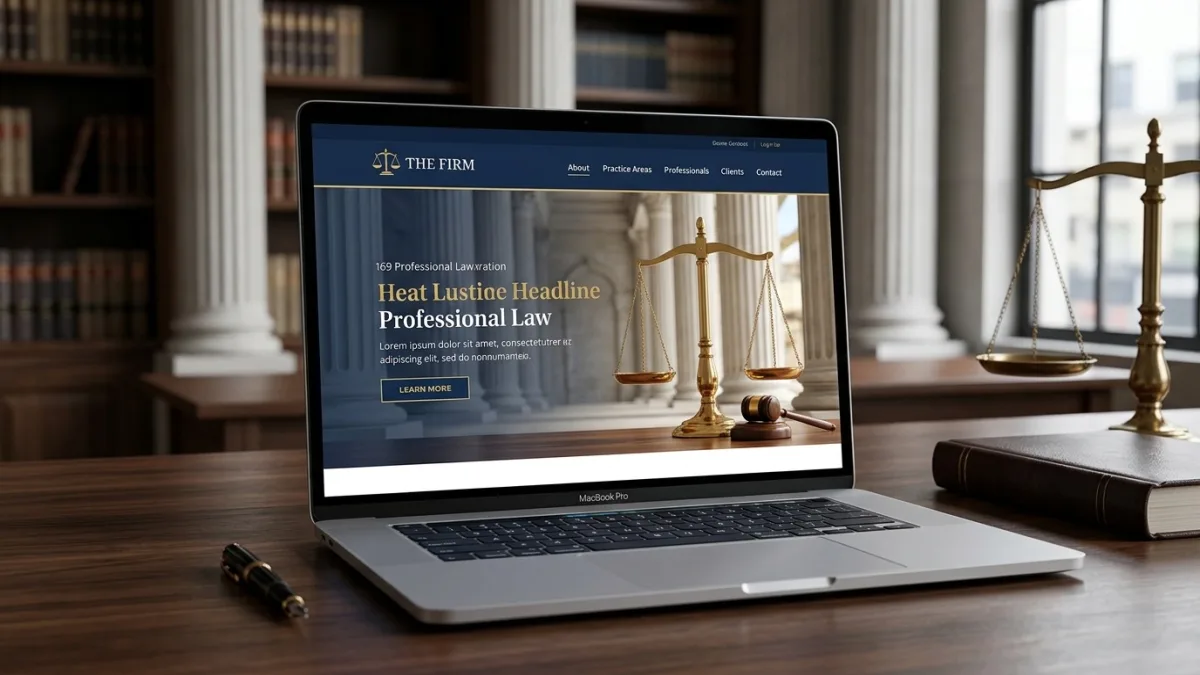
What is law firm website design?
Law firm website design is the strategic planning, visual design, and technical build of a legal practice's online presence with one primary commercial objective: converting prospective clients into booked consultations. It is materially different from generic professional-services web design because the buyer psychology is specific — a person searching for a lawyer is often stressed, making a high-stakes financial or personal decision, and evaluating trustworthiness under time pressure. The design decisions that work for a restaurant or a retailer do not work for a family law solicitor or a criminal defence barrister.
A law firm website visitor is typically at one of three stages: urgent (they have been charged, received a lawsuit, or have an immediate legal deadline), evaluating (they are comparing firms before choosing representation), or researching (they want to understand their legal options before committing to a consultation). A well-designed legal website addresses all three: a clear phone number and a specific call-to-action above the fold for urgent visitors, a trust-building about section and lawyer profiles for evaluators, and detailed practice-area content with FAQ schema for researchers. Addressing these three states on the same homepage — without confusing any of them — is the core design challenge of law firm website projects.
For Canadian law firms, website design also carries compliance dimensions that generic web guides omit entirely. Every provincial law society — the Law Society of Ontario (LSO), the Law Society of British Columbia (LSBC), the Barreau du Québec, the Nova Scotia Barristers' Society, and equivalents in every province and territory — regulates what a lawyer may and may not say in advertising, and a law firm's website is explicitly covered by those rules. A homepage claim like "top immigration lawyers in Calgary" or a testimonial that implies guaranteed outcomes is not just poor marketing — it is a potential law society complaint with real professional consequences. Getting the design right means understanding those rules before the first paragraph of copy is written.
Why Canadian law firms need a purpose-built website
The Canadian legal market is competitive, fragmented, and increasingly driven by digital-first client behaviour. There are over 145,000 lawyers licensed to practice in Canada, approximately 52,000 of them in Ontario alone (Law Society of Ontario, 2025 data). In urban markets — Toronto, Vancouver, Montreal, Calgary, Ottawa, Edmonton — a prospective client searching "personal injury lawyer Toronto" or "divorce lawyer Vancouver" on Google is confronted with a Local Pack, paid ads, and organic results from dozens of competing firms, many of whom have invested significantly in digital presence. The firm that appears first, communicates most clearly, and makes taking the next step easiest wins the client. The website is the engine of all three.
Legal service search behaviour in Canada is heavily intent-driven and time-sensitive. A Leger survey conducted for the Canadian Bar Association found that 78% of Canadians who sought legal advice in the previous year started their search online. Of those, 64% said the lawyer's website was one of the top two factors in their decision to contact the firm, ranking ahead of referrals from friends or family for consumers under 45. The implication is that the website is not a brochure that confirms a referral decision — for most client segments, it is the primary decision-making tool, and if it fails to build trust quickly, the visitor leaves and contacts the next firm on the list.
Access to justice is also a structural driver of legal website investment in Canada. The Canadian Bar Association's 2013 Reaching Equal Justice report estimated that up to 80% of legal needs in Canada go unmet. Subsequent reports have reinforced that finding. Part of the solution is clearer communication from lawyers about what they do, what it costs, and who they serve — and the website is the most scalable channel for that communication. Law firms that publish clear service descriptions, transparent fee structures (where rules permit), and bilingual content are not only better positioned commercially; they are providing a public good that the profession's regulators increasingly expect.
Provincial law society advertising rules every website must respect
Every provincial law society in Canada regulates lawyer advertising, and a law firm's website is advertising under these rules without exception. The obligations below reflect each society's published rules as of June 2026. Verify directly with your law society — marketing rules are periodically revised, and the consequences of non-compliance are professional, not just commercial.
Ontario — Law Society of Ontario (LSO). The LSO's Rules of Professional Conduct (Rule 4.2) permit advertising provided it is not false, misleading, or deceptive; does not demean the reputation of the legal profession; and does not claim specialization in an area of law unless the lawyer has been certified as a specialist by the LSO or another accredited body. The LSO does not maintain a formal specialization certification program for most practice areas — so a website claim like "immigration law specialists" is not technically permitted unless the firm is genuinely certified. The word "specialist" triggers the rule; "focuses on immigration law" or "practices primarily in immigration law" does not. Testimonials are permitted by the LSO but must be genuine and must not create false or misleading impressions about the quality of services or likely outcomes. The LSO's full advertising guidance is available at lso.ca.
British Columbia — Law Society of BC (LSBC). The LSBC's Code of Professional Conduct (Chapter 4) mirrors the LSO framework: advertising must be accurate, not misleading, and not contrary to the best interests of the public. BC is generally considered slightly more permissive on comparative marketing language than Ontario, but the baseline prohibition on false or deceptive claims applies equally. The LSBC explicitly addresses online advertising including social media and websites — a website is not a "softer" medium than print under BC rules.
Quebec — Barreau du Québec. Quebec lawyers are governed by the Règlement sur la publicité des avocats under the Code des professions, administered by the Barreau. Quebec's rules are among the strictest in Canada regarding the format and content of legal advertising. Superlative claims ("meilleurs avocats de Montréal") are prohibited. Fee advertising is permitted but must be complete and not misleading. All advertising directed at Quebec consumers must be in French — a bilingual law firm website in Quebec must have French content that is at least as prominent and substantively complete as any English version; English-primary with appended translations does not meet this standard under Bill 96's commercial advertising provisions. The Barreau's règlement also governs the use of testimonials and client success stories — these are restricted in Quebec in ways that differ from common-law provinces.
Alberta — Law Society of Alberta (LSA). Alberta's Code of Conduct (Chapter 4) follows the Canadian Bar Association model code closely. Alberta is notable for explicitly permitting the publication of fixed-fee schedules on law firm websites — a wills package at $800, a real estate transfer at $1,200 — as long as the fees are accurate and all inclusions and exclusions are stated. Alberta law society guidance positively encourages transparent fee publishing for routine services as an access-to-justice measure. Firms operating in Alberta should take advantage of this clarity; fixed-fee menus on Alberta law firm websites generate consistently higher consultation conversion rates than sites that deflect all fee questions to a phone call.
Nova Scotia, New Brunswick, Manitoba, Saskatchewan, PEI, Newfoundland, and territories. These societies all operate rules substantively consistent with the CBA model code. The practical implications are the same: no false or misleading claims, no unsubstantiated specialization claims, no testimonials that misrepresent outcomes, accurate fee information if published. Bilingual considerations apply in New Brunswick (the only officially bilingual province) and in any market with material francophone client population.
The practical design implication: law firm website copy must be reviewed against the applicable provincial rules before launch. Copywriters without legal marketing experience routinely include phrases — "top-rated," "award-winning," "proven results," "we win" — that may violate law society rules depending on context and province. Any legal awards, rankings (Chambers Canada, Best Lawyers, Lexpert) should be stated accurately with the year and methodology disclosed. "Named to Chambers Canada 2025 in Employment Law" is permissible. "Canada's top employment lawyers" is not, without substantiation that no law society would accept.
Practice-area pages — the conversion engine of a law firm site
A practice-area page is a dedicated landing page for a single service area — family law, personal injury, real estate transactions, immigration, criminal defence, employment law, wills and estates, corporate commercial, and so on. Practice-area pages do three jobs simultaneously: they demonstrate expertise to the prospective client, they explain what the service involves in plain language, and they rank in Google for the practice-area-plus-location keyword. A single "Our Services" page that lists twelve practice areas in bullet points does none of these jobs.
The anatomy of a high-performing Canadian legal practice-area page: a title that names the practice area and the city or province ("Personal Injury Lawyer Vancouver — Car Accidents and Slip & Fall Claims"); a plain-language explanation of what the practice area covers and who it serves (assume the reader knows nothing about law); a "what to expect from the legal process" section covering timeline, steps, and the firm's specific approach; a fee structure or FAQ about costs (even "our personal injury practice works on contingency — no fee unless you recover" is more useful than silence); a section on relevant Canadian legislation and how it affects the prospective client (the Motor Vehicle Act in BC, the Insurance Act in Ontario, the Quebec Civil Code — named, not generic); a FAQ section answering the questions clients actually ask (sourced from Google's People Also Ask and from intake call logs); a call-to-action to book a consultation; and where law society rules permit, genuine client testimonials or outcomes marked up with Review schema.
High-priority practice-area pages to build first, based on search volume and consultation value in Canadian urban markets: personal injury / car accidents (highest volume in ON, BC, AB), family law / divorce, real estate law (purchase and sale), immigration and refugee law, criminal defence, employment law (wrongful dismissal), wills and estates / estate administration, and corporate law for small business. Each of these has high-volume, high-intent keywords available in every major Canadian city. A firm that builds individual pages for all eight, each with FAQ schema, will appear in People Also Ask results for searches that generic one-page service menus never reach.
For the highest-value areas — personal injury and class actions — the practice-area page should include a section on limitation periods under the applicable provincial legislation, because prospective clients searching after an accident or injury are often urgently trying to understand if they have missed their deadline. Answering this question clearly on the page — the two-year basic limitation period under Ontario's Limitations Act 2002, or the one-year period under ICBC's no-fault system in BC — captures clients at the moment of highest legal anxiety and converts at significantly higher rates than pages that defer all substantive questions to the consultation call.
Client intake and lead capture: forms, CTAs, and the consultation funnel
The consultation conversion funnel on a law firm website is: visit → trust → legal fit → contact. The design decisions at each transition determine whether a visitor becomes a booked consultation. Most Canadian law firm websites lose prospective clients at the "legal fit → contact" transition by presenting a generic contact form that asks for nothing except name, email, and message — and then waits 24 to 48 hours to respond. A prospective client with an urgent legal matter will contact the next firm on the list.
An effective legal intake form does more than collect contact information. It qualifies the prospective client (practice area, jurisdiction, urgency, approximate matter value), signals to the visitor that the firm has handled this type of matter before (by asking relevant practice-specific questions), and creates a commitment anchoring effect — a client who has spent two minutes describing their situation in detail is more likely to show up for the consultation than one who sent a three-word inquiry. Clio Grow (Canadian-friendly, PIPEDA-aware) and MyCase Intake are the dominant intake form platforms used by Canadian law firms with active client development programs; both integrate with the most common legal practice management software used in Canada.
CTAs throughout the site must be specific and outcome-oriented. "Book a free 30-minute consultation" converts better than "Contact us." "Is your case within the limitation period? Call now." converts better than a phone number alone. "Get a fixed-fee quote for your real estate transaction" converts better than "Ask about our fees." Each CTA should be placed above the fold on every practice-area page, not only on the contact page — the majority of prospective clients who are ready to contact a firm will do so from a practice-area page after reading about their legal issue, not from a standalone contact page they had to navigate to separately.
Trust signals: lawyer profiles, credentials, and results pages
Trust is the primary conversion variable on a law firm website. A prospective client evaluating two technically equivalent firms will choose the one whose website communicates more human credibility — the one whose lawyers they feel they know before the first call. The most powerful trust signals available to a Canadian law firm website are lawyer biography pages, academic and professional credentials, verified third-party rankings, and (where law society rules permit) client testimonials with specific outcomes.
Lawyer biography pages should not be CVs. A CV lists credentials; a biography builds trust. The elements that convert on a lawyer bio page: a professional headshot — not a passport photo, not a stock image of a model in a suit, and not the same angle and background for every lawyer on the team; a one-paragraph plain-language statement of what the lawyer specifically does and who they help ("I represent employees who have been wrongfully dismissed in Ontario, with a particular focus on cases involving non-competition agreements and constructive dismissal in the financial services sector"); notable cases or outcomes described accurately and without violating privilege or law society rules; bar admission details and law school; professional memberships and published articles; languages spoken (critically important for multilingual urban markets in Toronto, Vancouver, and Montreal, where a lawyer who speaks Mandarin, Punjabi, or Tamil as a first language has a significant competitive advantage if this is visible on the website); and a direct contact method for that lawyer.
Verified rankings deserve careful handling. Chambers Canada, Best Lawyers in Canada, Lexpert, and Canadian Lawyer 500 are recognized industry rankings with defined methodologies. Displaying a current-year ranking badge and linking to the methodology is compliant with law society advertising rules across provinces. Unverified "top 10 lawyers" lists sold by directory companies, or social media follower counts, do not carry the same credibility and may raise questions under rules prohibiting misleading quality claims. Use recognized rankings; avoid purchased badges.
Law firm website design pricing in Canada (2026)
Pricing reflects scope: the number of practice-area pages, intake form complexity, lawyer profile pages, bilingual requirements, photography, schema markup, and whether ongoing SEO and content are included. The ranges below reflect senior Canadian agency or specialist freelance rates in 2026:
| Tier | Scope | CAD price range | Timeline |
|---|---|---|---|
| Template / DIY (Wix, Squarespace) | Platform template, 4–6 pages, basic contact form, no local SEO | $0 – $2,500 | 1 – 3 weeks self-built |
| Entry professional | WordPress or Webflow, 8–12 pages, 4–6 practice-area pages, Clio Grow intake, basic local SEO | $5,000 – $9,500 | 5 – 8 weeks |
| Full-service firm website | Custom design, 12–20 practice-area pages, lawyer profiles, intake integration, schema markup, GBP setup, professional photography direction | $9,500 – $20,000 | 8 – 14 weeks |
| Multi-office or national firm | Hub-and-spoke architecture, individual office pages, centralized intake with routing, bilingual EN/FR, schema for each location and lawyer | $20,000 – $70,000 | 14 – 24 weeks |
| Monthly SEO + content retainer | Hosting management, monthly practice-area article, GBP monitoring, performance reporting, review request workflows | $300 – $900/mo | Ongoing |
The most common pricing mistake law firms make is selecting a general web designer at CA$2,000–$3,000 and then spending CA$1,500–$3,000 per month on Google Ads to compensate for a website that does not rank organically or convert visitors. The economics of that tradeoff rarely work for more than 12 months. A CA$12,000 investment in a properly built website with strong local SEO foundations — practice-area pages, schema markup, Google Business Profile optimization, a systematic review strategy — typically reduces cost-per-consultation-booked from paid channels within 6–18 months, often to the point where ad spend can be reduced significantly or redirected into higher-ROI activities.
Photography is consistently underbudgeted in legal website projects. Partner and associate headshots taken on a professional camera in natural office light, a wide shot of the boardroom, and exterior photography of the building are the visual assets that drive trust on a law firm website. Stock photography of suited models is immediately recognizable to prospective clients and signals a generic, low-investment practice. Budget CA$800–$2,000 for a professional photoshoot — it is the highest-ROI line item in a legal website project after the writing. For a detailed scope and pricing analysis, see the full website cost guide for Canadian businesses.
Platform comparison: WordPress vs Webflow vs legal CMS
Platform choice for a law firm website is less consequential than content and local SEO strategy, but it does affect design flexibility, SEO ceiling, integration options for legal intake tools, and ongoing maintenance overhead. Here is an honest assessment for the Canadian legal market context:
| Platform | Design flexibility | SEO ceiling | Intake integration | Monthly cost | Best for |
|---|---|---|---|---|---|
| WordPress | Very high | Highest (full control) | Clio Grow, MyCase, Law Ruler via plugin or embed | $25 – $90/mo hosting | Most firms — maximum flexibility and organic search performance |
| Webflow | Very high | High (clean code) | iframe embed or Zapier for Clio | $23 – $49/mo | Design-forward boutique firms wanting easy visual editing |
| Wix | Medium | Medium (improving) | Wix Forms; limited Clio native integration | $17 – $35/mo | Solo practitioners with small budget — not recommended for competitive markets |
| Squarespace | Medium | Medium | Acuity (booking); Clio via iframe | $20 – $40/mo | Boutique practices prioritizing aesthetics; limited for multi-area SEO |
| Legal-specific CMS (Scorpion, Foster Web) | Low (templates) | Low to medium | Built-in but proprietary | $350 – $1,200/mo all-in | Firms wanting full-service vendor; low control, high recurring cost |
WordPress is the recommended platform for the vast majority of Canadian law firms targeting competitive organic search positions. It provides the highest degree of control over technical SEO elements — XML sitemaps, attorney schema, LocalBusiness schema, URL structure, page speed — and integrates natively with every major Canadian legal intake platform. The trade-off is maintenance overhead: WordPress core, themes, and plugins require monthly updates, and a security vulnerability in an unpatched plugin is a meaningful risk for a site that may receive privileged client information. A monthly maintenance plan (CA$100–$250 per month from a qualified agency) is worth every dollar.
Legal-specific website platforms like Scorpion or Foster Web Marketing are sold as done-for-you solutions covering hosting, design, content, and often paid ad management. They are operationally attractive for firms with no internal bandwidth for website management. The structural limitation is the SEO ceiling — these platforms are built on proprietary CMS infrastructure that limits technical SEO control, and the templated designs mean hundreds of firms share nearly identical layouts and copy structures, reducing differentiation in competitive markets. For a practice competing for "divorce lawyer Toronto" or "criminal defence lawyer Vancouver" in 2026, platform-imposed SEO constraints are a meaningful competitive disadvantage. For a comprehensive platform analysis, see the website platform comparison guide.
Accessibility: AODA and WCAG 2.1 for Canadian law firm websites
Ontario's Accessibility for Ontarians with Disabilities Act (AODA) and its Integrated Accessibility Standards Regulation require certain organizations to meet WCAG 2.0 Level AA for websites and digital content. Current compliance obligations apply to large organizations (50+ employees) and public-sector bodies. Private law firms with fewer than 50 employees are not individually legislated under the current AODA schedule — however, firms providing services to public-sector clients, municipalities, or federally regulated entities may face contractual accessibility requirements, and WCAG 2.1 Level AA is the accepted professional and commercial standard for any Canadian business website in 2026.
The access-to-justice dimension makes accessibility particularly significant for law firms. A client with a visual impairment using a screen reader, a client with a motor disability who cannot use a mouse, or a client with a cognitive disability navigating an intake form should not be excluded by a law firm's website design. The profession's public interest obligations are relevant context here: the Law Society of Ontario's strategic plan specifically identifies improving access to legal services for disadvantaged Ontarians as a professional objective. A law firm website that fails basic accessibility tests is in tension with that objective, regardless of whether the AODA legally mandates compliance for that firm today.
The most common accessibility failures on Canadian law firm websites: low colour contrast between body text and background (dark grey on white is fine; light grey on white is not — minimum 4.5:1 contrast ratio for normal text per WCAG 1.4.3); intake forms and consultation booking widgets that are not keyboard-navigable; PDF documents (retainer agreements, fee schedules, intake questionnaires offered for download) that are not tagged for screen reader compatibility; missing or inadequate alt text on lawyer headshots and office photos; and navigation menus that trap keyboard users or do not expose ARIA roles to assistive technology.
Practical remediation for a law firm website accessibility audit: run automated checks using axe DevTools or Google Lighthouse Accessibility; validate colour contrast ratios for all text with the WebAIM Contrast Checker; test the consultation intake form with keyboard navigation only; verify all PDFs are tagged for accessibility before publishing; and ensure all video content (virtual office tours, explainer videos) includes captions. These are one-sprint fixes for any developer familiar with WCAG 2.1 — schedule the audit before launch and annually thereafter.
Client privacy and confidentiality: PIPEDA, Law 25, and intake form design
A prospective client who submits an inquiry through a law firm website is sharing potentially sensitive personal information — details of their legal matter, financial situation, family circumstances, or involvement in a criminal proceeding. The expectation of confidentiality begins at the moment of that first contact, and the lawyer's duty of confidentiality under provincial law society rules arguably covers client information received through an intake form even before a retainer is signed. The website's technical infrastructure must be built to honour that expectation, not just to satisfy the minimum requirements of privacy legislation.
PIPEDA (the federal Personal Information Protection and Electronic Documents Act) applies to Canadian law firms operating across provincial boundaries or in provinces without substantially similar legislation. The key obligations for a law firm website: meaningful informed consent before collecting personal information through a contact or intake form; a published and accessible privacy policy that explains what information is collected, for what purpose, how long it is retained, and who it may be shared with; security safeguards appropriate to the sensitivity of the information (legal matters qualify as sensitive information under PIPEDA, warranting encryption in transit and at rest); and a process for mandatory breach notification to the Office of the Privacy Commissioner of Canada within 72 hours of discovering a breach that creates a real risk of significant harm (priv.gc.ca).
Quebec's Law 25 (An Act to modernize legislative provisions as regards the protection of personal information) imposes obligations that exceed PIPEDA, including: mandatory Privacy Impact Assessments (PIAs) before deploying any new technology that collects personal information — this includes a new intake form platform or CRM; a named Privacy Officer published on the firm's website; and the right for Quebec residents to request data portability of their personal information. Quebec law firms redesigning their websites in 2026 must factor Law 25 compliance into their vendor selection and form architecture before the project begins, not as an afterthought during QA.
Technical requirements for PIPEDA and Law 25 compliance on a law firm website: all forms transmit over HTTPS with TLS 1.2 or higher; form submissions are not routed to unsecured general-purpose email inboxes — they route to the firm's practice management system (Clio, PCLaw, Cosmolex) or a PIPEDA-aware CRM; the website includes a cookie consent mechanism that fires before any third-party analytics or advertising pixels load; and a privacy policy linked from the footer of every page covers all collection activities on the site. Given the legal profession's confidentiality obligations, using a general-purpose web contact form that emails client matter details to an unencrypted Gmail account is both a PIPEDA issue and a potential law society professional responsibility issue. Build the infrastructure to handle client information as sensitively as the profession requires.
Local SEO for Canadian law firms
Local SEO is the discipline of appearing in Google's Local Pack and in organic results for geographic legal queries — "family lawyer Ottawa," "real estate lawyer Mississauga," "criminal defence lawyer Edmonton," "immigration lawyer Montreal." For most law firms, the majority of new client inquiries come from people within the firm's geographic market who found the firm through a local search. The website's local SEO performance is directly tied to consultation volume.
The foundational local SEO requirements for a Canadian law firm website: correct and consistent NAP (firm name, address, phone number) on the website, Google Business Profile, and every directory listing (YellowPages.ca, Justia, Avvo Canada, Law Society's online lawyer directory, Canadian Legal Directory); LegalService and LocalBusiness schema markup on the homepage and contact page, with each lawyer's Attorney schema on their bio page; individual office pages for every practice location (one URL per office, not a single page listing all locations); and a Google Business Profile for each office location with complete information, photos, and an active review acquisition process.
Reviews are the most powerful local ranking signal after proximity and relevance. Canadian Google Maps results for competitive legal searches are consistently dominated by firms with 50+ Google reviews and aggregate ratings above 4.3 stars. The law society rules in all provinces permit clients to leave Google reviews of their lawyer — the restriction is on the lawyer soliciting false or misleading reviews, not genuine ones. A systematic post-matter review request — an automated email sent after a matter closes with a direct Google review link — sent with sensitivity to the personal nature of some legal matters, converts at 10–20% and compounds rapidly over 18 months. A firm that closes 20 matters per month and converts 15% of clients into reviewers has 36 new Google reviews per year without any advertising spend.
Practice-area pages with geographic targeting are the organic search workhorses of a law firm website. "Employment lawyer Toronto" is one page. "Employment lawyer North York" is another — even if the office is the same. "Wrongful dismissal lawyer Toronto" is a third. Each represents a distinct search query with distinct intent, and each deserves its own page with unique, substantive content if the firm genuinely handles those matters in that geography. Thin location pages that swap a city name into a template without unique content will not rank and may be treated as duplicate content by Google. Write them as genuine geographic service pages with locally relevant information — nearby courts, local employment law context, regional industry concentration — and they will compound in organic value over 12–24 months. For a complete local SEO framework, see the local SEO guide.
Mobile-first design and Core Web Vitals for legal websites
Legal website traffic is heavily mobile — over 60% of visits for most practice areas come from smartphones. A prospective client who has just been in a car accident, who just received a termination letter, or who just received a court notice is searching for a lawyer on their phone, under stress, in the moment. Mobile-first design for a law firm website is not optional; it is the structural default from which every layout, typography, and interaction decision must be made.
The phone number must be a tappable tel: link in the header, visible above the fold on every page without scrolling, in a font size that is readable without zooming. The consultation CTA must be tappable with a thumb — minimum 44×44 CSS pixels per WCAG 2.5.5. On mobile, the recommended pattern is a sticky bottom bar that persists as the visitor scrolls: a phone icon on the left, a "Book consultation" button on the right, always visible, never scrolling out of reach. This single design element routinely increases mobile contact rates by 25–40% in A/B tests on law firm websites.
Core Web Vitals thresholds for 2026 — Largest Contentful Paint under 2.5 seconds, Interaction to Next Paint under 200ms, Cumulative Layout Shift under 0.1 — must be passed on mobile to maintain competitive organic ranking positions. The most common LCP issue on law firm websites is an unoptimized hero image: a 5MB PNG of the downtown skyline or a lawyer's headshot. Convert all images to WebP, compress hero images to under 200KB, add explicit width and height attributes, lazy-load below-fold images, and pre-load the above-fold hero image. A law firm website that consistently passes Core Web Vitals on mobile will outrank a technically inferior competitor over time, all else in local SEO being equal. For broader mobile design best practices, see the responsive web design guide.
Step-by-step: how a Canadian law firm website project works
A law firm website project has distinct phases that must happen in sequence. The workflow below is built to minimize the most common source of overruns: content delays from lawyers who are too busy to write bios or review draft copy during a busy litigation quarter. Planning for that constraint from the start is the difference between a 10-week project and a 22-week one.
- Discovery and compliance review (1 week). Identify the applicable provincial law society (or societies, for national firms), review the advertising rules, confirm practice areas and their jurisdiction, identify any specialist certifications, determine if any ranked lawyer directories (Chambers, Best Lawyers) are current and displayable, and document PIPEDA or provincial privacy obligations. Complete this before writing a single word of copy.
- Keyword and competitive research (1 week). Identify the 10–20 search queries that represent the highest-value prospective clients in the firm's geographic market. Include: practice-area specific ("wrongful dismissal lawyer Calgary"), urgency-driven ("criminal lawyer available now Toronto"), and information-seeking ("what to do after a car accident Ontario"). Map each keyword to a target URL. This research determines the site architecture — do it before design begins.
- Site architecture and content brief (1 week). Define the complete URL structure: home, about, team, individual lawyer bios, practice areas hub, individual practice-area pages, geographic location pages, blog, contact, privacy policy. Assign a keyword target and conversion goal to each page. Write a one-page content brief for each page so that lawyers reviewing copy understand exactly what each page is trying to achieve.
- Photography coordination (1–2 weeks, runs parallel to architecture). Book a professional photographer for partner and associate headshots, reception and meeting room photos, building exterior. Share the content plan with the photographer so they shoot to the format the design requires — not a generic portrait session. Headshots in particular must be shot consistently for the team page. Photography must arrive in final edited form before visual design can be completed.
- Visual design (2–3 weeks). High-fidelity mockups for homepage, practice-area page template, lawyer bio page, and contact/intake page. Colour palette, typography, and button styles defined with accessibility contrast ratios checked at design time — not after development. Two revision rounds standard.
- Development and integration (2–4 weeks). WordPress or Webflow build; Clio Grow or intake form integration tested; all forms verified to route to PIPEDA-compliant destination; Attorney and LegalService schema implemented and validated; cookie consent mechanism configured; Core Web Vitals audit targeting mobile LCP under 2.5 seconds.
- Copy review against law society rules (1 week, runs parallel to development). Every claim, testimonial, ranking badge, specialization reference, and fee statement reviewed against applicable provincial rules. "Award-winning" — is the award verifiable and current? "Specialists in employment law" — is anyone on the team a certified LSO Employment Law Specialist? Fix before launch, not after a complaint.
- QA and cross-device testing (1 week). Test on Chrome, Safari, Firefox; on iPhone SE (smallest common screen) and current Android; test the intake form end-to-end including PIPEDA-compliant routing; verify all phone numbers are tappable tel: links; test the mobile sticky call bar; check Core Web Vitals on PageSpeed Insights.
- Launch (1–2 days). DNS cutover with prepared TTL reduction; SSL verification; 301 redirects from all previous URLs; Google Search Console property setup and sitemap submission; Google Business Profile updated with new website URL; IndexNow notification for Bing and Yandex.
- Post-launch monitoring (first 90 days). Weekly review of Search Console coverage errors, consultation form submission volumes, and Google Business Profile metrics (calls, direction requests, website clicks). At 90 days: review heat mapping and session recordings (Microsoft Clarity is free and PIPEDA-compatible) for friction points in the intake form. Begin systematic review acquisition for the Google Business Profile.
Pre-launch checklist for Canadian law firm websites
Use this checklist as formal acceptance criteria — do not sign off on launch until every item is verified:
- Provincial law society advertising rules reviewed; all copy verified compliant — no false, misleading, or unsubstantiated claims
- Specialization claims confirmed: only certified LSO or provincial society specialists use the word "specialist"; all others use "focuses on" or "practices primarily in"
- All lawyer profiles include current bar admission status, law society membership number (where required), year of call, and a professional photograph — not stock imagery
- Fee information, where published, is accurate, complete, and includes all material terms; contingency fee structure disclosed clearly
- Awards and rankings are current-year, correctly attributed with source and methodology
- Phone number is a tappable tel: link in the header and on the contact page; mobile sticky call bar implemented and tested
- Consultation intake form live on every practice-area page above the fold — not only on the contact page
- Intake form data routes to a PIPEDA-compliant destination (Clio, PCLaw, Cosmolex, or equivalent) — not an unsecured email inbox
- Privacy policy published and linked from the footer of every page; covers all collection activities including intake forms, cookies, and analytics
- Cookie consent mechanism fires before analytics and ad pixels load — verified in browser DevTools Network tab
- LegalService and LocalBusiness schema implemented and validated with Google's Rich Results Test
- Attorney schema implemented on every individual lawyer bio page
- Google Business Profile updated with new website URL, current hours, correct practice categories
- NAP (firm name, address, phone) is identical on the website, Google Business Profile, and Law Society's public directory listing
- All images are WebP, compressed under 200KB for full-width images, with descriptive alt text on all headshots and office photos
- Core Web Vitals pass on mobile: LCP under 2.5s, INP under 200ms, CLS under 0.1 — verified with PageSpeed Insights
- WCAG 2.1 colour contrast ratios verified for all body text and interactive elements (minimum 4.5:1)
- If bilingual: French content is substantively equivalent to English, reviewed by a native Quebec French speaker, and the French intake form routes correctly
- All old URLs have 301 redirects to new equivalents; no broken links; sitemap submitted to Google Search Console
- 404 error page includes a search box and links to homepage and intake form — not a dead end
For a broader pre-launch checklist applicable to any industry, see the small business website checklist.
Common mistakes Canadian law firms make with their websites
These errors appear consistently across law firm website audits in Canada. They are preventable — but only if identified before the project is signed off and the developer has moved to the next client.
Building a brochure, not a conversion tool. The most common structural failure in Canadian law firm websites is designing for aesthetics and professional credibility without engineering any of the elements that generate consultation inquiries: a specific intake form above the fold on every practice-area page, a mobile call bar, practice-area-specific FAQs with schema, a Google Business Profile with active review management. A law firm website that looks impressive in a design review but generates two contact form submissions per week has failed its primary purpose.
One generic services page instead of individual practice-area pages. A "Services" page that lists fourteen practice areas in bullets, with one paragraph describing each, ranks for nothing, converts no one who is not already looking specifically for that firm, and wastes the single most valuable SEO asset a law firm controls — its content. Individual practice-area pages, each targeting a specific keyword, answering the specific questions a prospective client in that area has, and presenting the firm's specific experience, are the difference between a website that generates 3 inquiries per week and one that generates 30.
Ignoring limitation periods and legal urgency signals. Prospective clients searching for personal injury lawyers, criminal defence lawyers, or employment lawyers are often urgently wondering whether they have missed a deadline. A website that answers the applicable limitation period clearly — "In Ontario, the basic limitation period for personal injury claims is two years from the date of the accident under the Limitations Act, 2002; exceptions exist for minors and for latent injuries" — captures clients at the moment of highest anxiety and converts them. A website that says "call us to discuss your options" loses them to the firm that answered the question.
Routing intake form submissions to unencrypted email. A law firm's intake form that emails the details of a prospective client's legal matter — "I was injured in a car accident, I'm the driver, the other party is at fault, here is the police report number" — to a general Gmail or Outlook inbox is both a PIPEDA issue and a potential professional responsibility issue involving the duty of confidentiality. Route all intake submissions to the firm's practice management system or a PIPEDA-compliant CRM. This is a one-hour configuration task that lawyers and their designers consistently defer and consistently regret after an incident.
Not stating fee structures for routine services. The most consistent feedback from prospective clients who chose not to contact a law firm after visiting its website is the inability to get any signal about cost. Clients are not asking for a binding quote — they want enough information to know if contacting the firm is worth their time. "Our wills and estates practice offers fixed-fee simple wills starting at CA$350 per person; please contact us for a quote on estates with US assets, trusts, or business interests" gives a client enough signal to make a decision. Silence sends them to a firm — often a competitor — that answered the question. Where law society rules permit fee information (and they do in every province), publish it.
Case study: Vancouver immigration firm grows consultations 45% in 90 days
A mid-sized immigration law firm in Vancouver (anonymized at the firm's request) with four lawyers practicing exclusively in immigration and refugee law commissioned a website redesign in late 2024. Their existing site was built in 2019 on a legal-specific template platform, loading at 8.5 seconds on mobile, with a single "Immigration Services" page listing Express Entry, spousal sponsorship, refugee claims, and study/work permit applications in a four-bullet list. Google Search Console showed 190 impressions and 9 clicks per day — minimal organic visibility for a well-established firm in one of Canada's highest-volume immigration markets.
What the redesign addressed. The project ran 11 weeks at a cost of CA$16,000 and delivered: a rebuilt WordPress site with mobile LCP dropping from 8.5 seconds to 1.9 seconds; eleven individual immigration service pages, each targeting a specific keyword ("Express Entry lawyer Vancouver," "spousal sponsorship BC," "refugee claimant lawyer Vancouver," "PGWP work permit renewal BC"); a Clio Grow intake form embedded in the header of every practice-area page with fields specific to each immigration category; four lawyer bio pages with professional headshots, language skills listed prominently (the team collectively spoke English, Mandarin, Cantonese, Punjabi, and Tagalog — critical in Vancouver), IRCC-related credentials, and bar admission year; Barreau / LSBC-compliant copy reviewed by a senior partner before launch; LegalService schema and Attorney schema on all pages; and a Google Business Profile with 12 new photos and a post-matter review email sequence via Clio.
Results at 90 days. Google Search Console clicks climbed from 9 to 41 per day — a 356% increase with no change in advertising budget. New online consultation requests went from three per week (via the old generic contact form) to an average of 18 per week — a 500% increase attributable primarily to the practice-area-page intake forms. The Punjabi-speaking partner's bio page became the third-highest-traffic page on the site within 60 days, driven by Punjabi community Google searches specifically looking for a Punjabi-speaking immigration lawyer in BC. Overall paid consultations for the quarter were up 45% compared to the same quarter the prior year. The site recovered its build cost in new retainer revenue within the first 60 days of operation. The firm is now investing in quarterly blog content targeting immigration-policy-update keywords and a bilingual French version for the Quebec refugee law practice.
The case study illustrates a principle that applies across Canadian legal markets: visible, specific, practice-area-targeted web presence combined with genuine human trust signals — real lawyer faces, real language capabilities, real intake forms that ask relevant questions — consistently outperforms generic legal websites regardless of ad spend. The investment required is a fraction of one new client retainer in most practice areas. For additional industry examples, see the website examples by industry guide.
Frequently asked questions
How much does a law firm website cost in Canada?
A professional law firm website in Canada costs CA$5,000–$20,000 depending on the number of practice-area pages, intake form complexity, bilingual requirements, and whether local SEO setup is included. Multi-office or national firms typically run CA$25,000–$70,000. Monthly maintenance and content retainers add CA$300–$900 per month. Photography is the most consistently underbudgeted line item — budget CA$800–$2,000 for professional headshots and office photography separately.
Can Canadian lawyers advertise prices on their website?
Yes, in every province, with appropriate disclosure. All provincial law societies permit fee advertising provided the information is accurate, complete, and not misleading. Alberta's law society particularly encourages fixed-fee publishing for routine services as an access-to-justice measure. Hourly rate ranges, fixed-fee menus for wills, real estate, and incorporations, and contingency fee structures (clearly disclosed) may all be published on Canadian law firm websites. Review your provincial society's specific guidance before publishing; the rules are broadly permissive but the detail matters.
What must a law firm website include under law society rules?
All provinces require: accurate identification of all practicing lawyers by name; no false, misleading, or deceptive statements about qualifications, experience, or outcomes; no specialization claims unless the lawyer holds an accredited law society specialization; no testimonials that imply guaranteed outcomes; accurate fee information if fees are published. Ontario's LSO, BC's LSBC, and the Barreau du Québec each publish advertising guidelines; review the applicable society's rules before copy is written, not after launch.
Does PIPEDA apply to law firm contact forms in Canada?
Yes. Law firms collecting personal information through website forms are subject to PIPEDA (or substantially similar provincial legislation in Quebec, Alberta, and BC). Key obligations: informed consent before collection, a published privacy policy linked from every page, HTTPS transmission for all forms, and form submissions routed to a secure PIPEDA-compliant destination — not an unsecured email inbox. Quebec's Law 25 adds mandatory Privacy Impact Assessments for new intake technology and a published Privacy Officer. Build these requirements into the project scope before development begins.
What platform is best for a Canadian law firm website?
WordPress is recommended for most firms targeting competitive organic search positions — it provides maximum SEO control and integrates with all major Canadian legal intake platforms including Clio Grow and MyCase. Webflow is a strong alternative for boutique firms prioritizing visual design. Avoid legal-specific template platforms (Scorpion, Foster Web) if you are competing in urban Canadian markets for high-value keywords — their SEO ceiling is a structural constraint. Wix and Squarespace are appropriate only for solo practitioners in low-competition markets or as interim sites before a full build.
How do I get more client consultations from my law firm website?
The highest-impact changes: (1) build individual practice-area pages for every service area you want to grow — not a single services page; (2) place a specific intake form above the fold on every practice-area page, not just on the contact page; (3) add a mobile sticky call bar so phone contact is one thumb tap from any page; (4) publish a Google Business Profile with weekly posts and a post-matter review request email sequence; (5) publish limitation period information and fee structure prominently — clients who can answer "do I have a case?" and "can I afford this?" from your website convert at dramatically higher rates than those who cannot.
Should a Canadian law firm website be bilingual?
It is legally required for Quebec firms — Bill 96 requires commercial advertising (including law firm websites) directed at Quebec consumers to be in French, with French content at least as prominent and complete as any English version. For firms in Ottawa, Gatineau, Moncton, and other bilingual markets, bilingual websites provide a significant competitive advantage among francophone clients without a formal legal mandate. National firms and firms with Quebec offices should build bilingual architecture into the project from the start — retrofitting bilingual content onto an English-primary site is significantly more expensive and often results in inferior French UX.
How long does it take to build a law firm website?
A standard law firm website with 8–15 practice-area pages, a Clio Grow intake form, lawyer profiles, and local SEO setup typically takes 6–10 weeks from signed agreement to launch. Larger multi-practice-area builds, bilingual content, or custom intake integrations extend to 12–18 weeks. The most reliable way to hit the target date is to book professional photography at project kickoff — attorney headshot delays account for the majority of missed launch dates on legal website projects.
Get a free law firm website design plan
Tell us about your practice — we send back a platform recommendation, practice-area page scope, intake form approach, and a project timeline. No payment required.