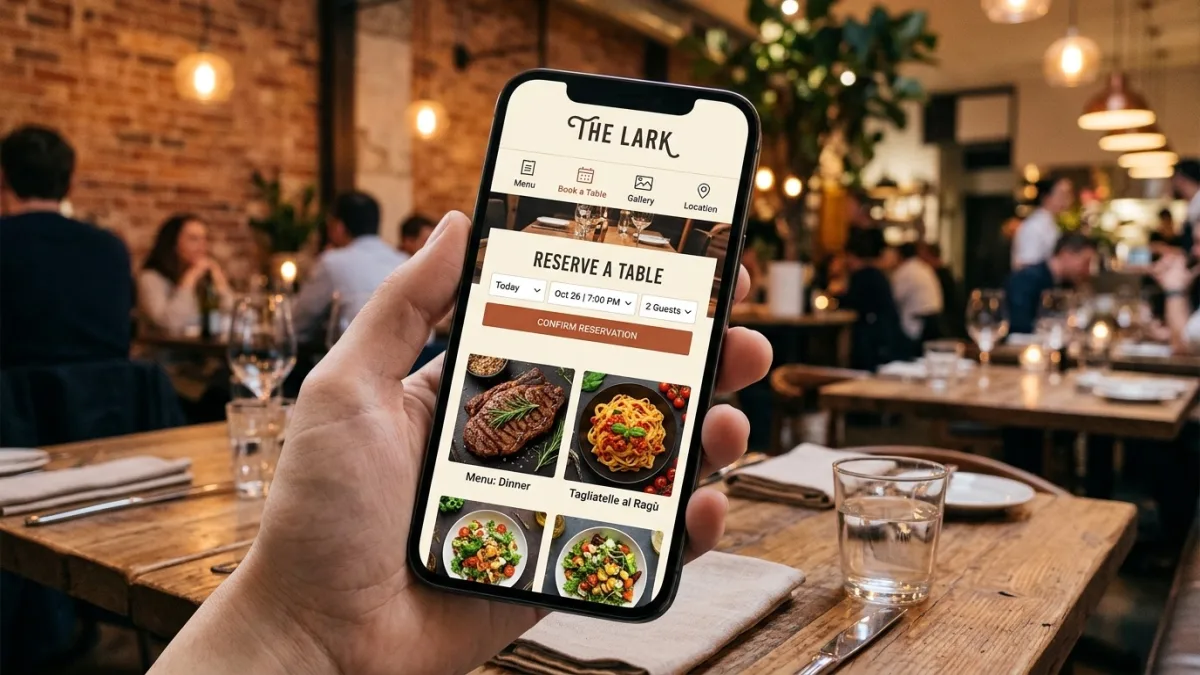
What restaurant website design actually means in 2026
Restaurant website design is the intentional arrangement of pages, visual elements, ordering and reservation tools, and local search signals that together turn a website visit into a table booking, a delivery order, or a catering inquiry. It is not the same discipline as designing a professional-services site or an ecommerce store — the decision cycle is measured in seconds rather than days, the primary action (booking a table or placing an order) usually happens on a mobile device while the visitor is already hungry, and the primary conversion signals are different from other industries: hours of operation, a phone number, an address, a map, and a photo of the food are the five things a Canadian diner checks before committing.
In 2026, a restaurant website serves three functions simultaneously. First, it is a decision-confirming resource — a visitor who found you through Google Maps, a friend's recommendation, or a food blog comes to your site to verify hours, see the menu, check prices, and decide whether to book. If any of those four things require more than two taps or ten seconds to find, you have lost that guest to a competitor whose information is one tap away. Second, it is a direct revenue channel through online ordering — a self-owned ordering page costs a fraction of the commission rates charged by UberEats, SkipTheDishes, or DoorDash. Third, it is your primary local SEO asset: the signals on your website — schema markup, consistent address data, menu content, structured hours — feed the Google Knowledge Panel, the local 3-pack, and the AI overviews that increasingly replace the first scroll of search results for "restaurants near me" queries.
Canadian restaurants face a specific context that US guides routinely overlook. The seasonal variability of the Canadian market — patios open April through October in most provinces, reduced hours and closures over winter in northern cities — means hours and seasonal menu information need to be easy for the owner to update without developer help. The bilingual context of national brands and Quebec-based restaurants adds French-language design requirements. The dominance of SkipTheDishes (a Winnipeg-founded platform that holds roughly 35% of the Canadian food delivery market) means third-party ordering integration decisions differ from the US, where DoorDash and UberEats together hold over 90% of the market. And the premium placed on local identity — the "neighbourhood restaurant" positioning that drives repeat visits and word-of-mouth in Canadian cities — means generic US restaurant templates miss the specific trust signals Canadian diners look for.
Essential pages every Canadian restaurant website needs
The page structure of a restaurant website should reflect how a diner actually uses it — not what looks impressive in a portfolio. Every page should answer a specific question a prospective guest has before visiting or ordering.
Home page. A strong hero image (the signature dish or the dining room at its best), the restaurant's neighbourhood and city clearly stated within the hero (not buried in the footer), operating hours visible without scrolling on mobile, and two primary calls to action: Reserve a Table and Order Online. If the restaurant delivers, the home page should link directly to the ordering method. If it is dine-in only, the reservation CTA should dominate. The home page is not the place for the full story, the full menu, or the staff bios — it exists to capture intent and route it to the correct next action.
Menu page. The most-visited page on most restaurant websites by a significant margin, and the most frequently done wrong. A PDF menu is not a menu page — it is a downloadable file that breaks on mobile, cannot be indexed by Google for dish-name searches, cannot display photos, and requires updating by re-uploading a file rather than editing text. An HTML menu page, even a simple one with dish names, descriptions, and prices in CAD organized by section (starters, mains, desserts, drinks), performs measurably better for both user experience and search rankings. Adding one professional photo per menu section — not every dish, just one representative image per section — typically increases average online order values by 20–30% according to data from restaurant-focused ordering platforms in the Canadian market.
Reservations page. An embedded booking widget (OpenTable, Yelp Reservations, Resy, or a simple contact form for smaller restaurants) should be the primary content of this page, not a phone number or an email address. Canadian diners increasingly expect to book without calling — a 2024 Ipsos Canada survey found that 67% of Canadians aged 25–44 prefer to make restaurant reservations online rather than by phone. Phone and email remain important for large-party bookings and special-accommodation requests, but the frictionless path must be online first.
About page. The owner's story, the cuisine philosophy, the neighbourhood context, and any awards or press mentions. This page serves primarily as a trust signal for first-time visitors who found the restaurant through search or a recommendation but have no prior experience with the brand. A genuine 200-word story about why the restaurant exists, who runs it, and what the kitchen is proud of outperforms a polished marketing paragraph that says nothing specific. Include the chef's name, city neighbourhood, and year of opening — these details anchor the restaurant in a real local context that generic stock-photo templates cannot fake.
Contact and hours page. This page should embed a Google Map, display hours for each day of the week (including any seasonal variations clearly marked), the street address in full, and a phone number formatted in Canadian style: (416) 555-0100, not 416-555-0100 or +14165550100. If parking is limited or the location is inside a mall or food hall, say so explicitly — Canadian diners who arrive and cannot park or find the entrance leave reviews describing the navigation failure, not the meal.
Private dining and events page. For any restaurant with a private room or the ability to accommodate groups of eight or more, this page is a direct revenue driver. Catering and private event bookings are higher-margin than regular service. This page should include capacity (seated and standing), a sample set menu with CAD pricing, a list of available AV equipment if applicable, and an inquiry form that captures the event date, estimated guest count, and budget range. For restaurants without a private room, a catering inquiry page serves the same purpose.
Online ordering and reservation integrations for Canadian restaurants
The most consequential technology decision in a restaurant website project is which ordering and reservation systems to integrate — and whether to route orders through marketplace platforms or invest in a direct ordering solution on the restaurant's own site.
Third-party marketplace ordering. UberEats, SkipTheDishes, and DoorDash Canada together cover the majority of the Canadian food delivery market. These platforms charge restaurants 20–30% commission per order — a cost that, at meaningful volume, is the single largest operating expense after food and labour for restaurants with significant delivery business. The design implication is that marketplace links on a restaurant website should be present but not prominent. A small "Also available on UberEats and SkipTheDishes" line in the footer or ordering section is appropriate. Leading with marketplace links on your own website is an extraordinary decision to pay a 25% commission on orders that a visitor — who found and navigated to your own site — was ready to place directly.
Direct ordering widgets. ChowNow, Square Online, Toast TakeOut, and Flipdish are the leading direct online ordering solutions used by Canadian independent restaurants. Commission rates for direct orders processed through these platforms run 2–5% in payment processing fees only. For a restaurant generating CA$12,000 per month in delivery and pickup revenue, the difference between 25% marketplace commission and 3% direct processing is CA$2,640 per month — CA$31,680 per year. The direct ordering widget can be embedded directly in the restaurant's website on the Order Online page, branded to match the site's design, and set as the primary CTA on the home page. This is the single highest financial-ROI feature investment in restaurant website design.
Reservation integrations. OpenTable is the dominant platform in Canada for full-service restaurants — it handles seat management, party-size limits, and automated reminder emails, and it puts the restaurant in front of diners browsing the OpenTable marketplace. The OpenTable widget embeds cleanly into any website platform. For restaurants that do not want the monthly OpenTable fee (CA$249–$699/month depending on plan), Yelp Reservations (free tier available) and Resy provide alternatives. For casual or quick-service restaurants where reservations are not taken but waitlist management is valuable, Yelp Waitlist and Google's reserve-with-Google integration both work with Canadian restaurants and add no monthly platform fee.
Gift card integration. Gift cards are a margin-positive revenue stream that restaurant websites routinely neglect. Square Gift Cards, Toast Gift Cards, and GiftFly all integrate with Canadian restaurant websites and allow online gift card purchases year-round. Gift card sales spike in November and December — a restaurant that does not have an online gift card purchase option is leaving seasonal revenue on the table every year. Adding a Gift Cards page takes a developer one to three hours on any major platform.
Digital menus that convert: HTML over PDF
The debate between PDF menus and HTML menus should not be a debate in 2026. PDF menus fail on every measure that matters to a restaurant's website performance: they do not render correctly on mobile devices without a PDF viewer app, they cannot be read by Google's indexing bots in a way that surfaces individual dish names in search results, they have no place for photography, they require a file upload and link update every time a price or item changes, and they produce a jarring experience break — the visitor leaves the restaurant's website UI and lands in a grey PDF viewer. This last point is measurable: PDF menu views on mobile have an average exit rate exceeding 80% in analytics audits of Canadian restaurant sites, compared to under 40% for equivalent HTML menu pages.
A well-structured HTML menu page requires no complex development. A sectioned page with H2 headings for each menu category (Starters, Mains, Vegetarian, Drinks, Desserts), paragraph text for each dish name, a short description, and the price in CAD formats cleanly on every device, indexes fully in Google (allowing the restaurant to rank for queries like "butter chicken Brampton" or "vegetarian poutine Ottawa"), and takes the owner ten minutes to update when prices change in the kitchen. Adding a CSS-styled card layout with one photograph per section takes a developer two to three hours and materially improves the visual impact without engineering complexity.
QR code menus — a practice that expanded rapidly during the pandemic and has persisted in many Canadian restaurants — are a table service convenience tool, not a website strategy. A QR code that links to a PDF is the worst of both worlds. If QR codes are in use for table menus, link them to the HTML menu page on the restaurant's website rather than to a static PDF. This approach keeps every touchpoint within the restaurant's own digital environment, contributes to session time on the website (a positive Google ranking signal), and means there is only one menu to maintain, not a PDF file and a separate web version.
Food photography: the highest-ROI investment in restaurant web design
No other investment in a restaurant's web presence produces a return as consistent as professional food photography. Google's own data shows that restaurants with professional photos in their Google Business Profile receive 35% more clicks and 42% more direction requests than comparable listings with only user-uploaded photos or smartphone snapshots. On the website itself, professional dish photography on the menu page increases average online order values by 20–30% compared to text-only or stock-image menus, because a professional photo of a specific dish creates desire and sets accurate expectations simultaneously — two things that reduce post-meal disappointment and negative reviews.
For a Canadian restaurant investing in a website redesign, the photography brief should cover five categories: (1) the hero image — the single most important visual asset, usually the signature dish or the dining room at its most atmospheric, shot in landscape format for web and cropped to square for social; (2) menu section images — one image per menu section showing a representative dish in detail; (3) the dining room — two to three images of the space at service time, not empty, showing the ambient lighting and table settings; (4) the team — a natural (not forced-smile) photo of the kitchen team or the owner is a trust signal on the About page; and (5) the exterior — the entrance with visible signage, especially important for restaurants in shared buildings or food halls.
Canadian restaurant photography rates range from CA$600–$1,200 for a half-day shoot with an experienced food photographer in a major city (Toronto, Montreal, Vancouver, Calgary), to CA$1,500–$2,500 for a full-day shoot with styling, multiple setups, and a large image delivery. Budget the photography shoot before or during the website design phase — designing a restaurant website around placeholder images and then retrofitting professional photography after launch produces layouts that rarely integrate as cleanly as photography shot to the design's specifications. Provide all images to the web designer as WebP files under 150KB each; JPEG originals should be provided at full resolution for the designer to optimize, not compressed by the restaurant owner before delivery.
Mobile-first restaurant web design for Canadian diners
Over 75% of restaurant website traffic in Canada originates on mobile devices, and the primary use cases — checking hours, finding the address, viewing the menu, and placing an order — all happen when the visitor is away from a desk. Restaurant websites that were designed for desktop and adapted for mobile consistently underperform sites designed mobile-first, because the compromises required to compress a desktop layout onto a phone screen produce exactly the friction that causes high exit rates: small tap targets, text that requires pinch-zooming, buttons that overlap, and reservation widgets that are not usable with one thumb.
Designing mobile-first for a restaurant means starting every template decision at the smallest common screen size (375px width, representing current iPhone SE dimensions) and scaling up. The home page's mobile view must show the restaurant name, location, operating hours, and two primary CTA buttons — Reserve and Order — within the first scrollable viewport, without the visitor needing to expand a menu or scroll past a large hero video. The menu page on mobile must be scrollable with section anchor links at the top so a diner can jump directly to "Mains" without scrolling past eight sections of appetizers. The map on the contact page must be an interactive Google Maps embed, not a static image — Canadian diners need to tap directly from the restaurant's website into Google Maps to get directions.
Core Web Vitals performance is directly relevant to restaurant sites because Google uses these metrics as ranking signals for local search queries — and "restaurants near me" is one of the most competitive local search phrases in every Canadian city. Target LCP (Largest Contentful Paint) under 2.5 seconds on mobile LTE, INP (Interaction to Next Paint) under 200ms, and CLS (Cumulative Layout Shift) under 0.1. The most common CWV failure on restaurant sites is a hero image that is not sized correctly and causes layout shift as it loads — set explicit width and height attributes on all images, and use loading="eager" for the hero and loading="lazy" for everything below the fold. For a full mobile readiness protocol, see the responsive web design best practices guide.
Local SEO for Canadian restaurants: ranking in the 3-pack and AI overviews
The single most-searched restaurant query across Canadian cities is a variant of "restaurants near me" or "[cuisine type] [neighbourhood or city]" — both of which trigger Google's local 3-pack (the map block with three restaurant listings) rather than traditional organic blue links. Appearing in that 3-pack for your cuisine type in your neighbourhood is more valuable for a restaurant than ranking on page one of organic results, because 3-pack clicks convert to direction requests and phone calls rather than additional browsing. Winning and holding a 3-pack position in a competitive Canadian market requires coordinated action on three fronts: your Google Business Profile, your website's technical and content signals, and your citation consistency across Canadian directories.
Google Business Profile (GBP). A fully completed GBP is the single highest-impact local SEO action available to a Canadian restaurant. Fill every field: primary and secondary cuisine categories, price range, accepted payment methods (note Interac Debit if you accept it — many Canadian diners filter by payment type), seating capacity, outdoor seating flag, dietary restriction options (vegan, gluten-free, halal, kosher), parking availability, and hours for every day including holiday overrides. Upload a minimum of ten photos, updated at least quarterly. Respond to every review within 48 hours — both positive and negative. Add the menu link pointing to your HTML menu page, not a PDF. Enable online ordering and reservation links in GBP to route directly to your integrated booking system or ordering widget.
Website technical signals. Add LocalBusiness schema markup (specifically the FoodEstablishment subtype) to your homepage with cuisine type, address, phone, hours, price range, and the menu URL as structured data. Google uses this schema to populate the Knowledge Panel and verify the accuracy of the GBP. The address in the schema must be character-for-character identical to the address in the GBP and in every directory listing — even minor inconsistencies (abbreviated vs spelled-out street type, suite number format) can suppress local ranking. Create a location page for each neighbourhood or city if the restaurant is in a city with strong neighbourhood search intent (for example, "restaurants in Plateau-Mont-Royal" in Montreal or "restaurants in Gastown" in Vancouver generates significant search volume that a dedicated neighbourhood page can capture).
Canadian directory citations. The most important Canadian citation sources for restaurants, in order of authority: Yelp Canada, TripAdvisor, Yellow Pages Canada (yellowpages.ca), OpenTable (also functions as a citation), Canadian Tourism Commission directories, provincial tourism association sites (Tourism Toronto, Tourisme Montréal, Destination Vancouver, Tourism Calgary), local food media (Toronto Life, Eater Vancouver, Montreal Gazette's restaurant section), and the restaurant association of your province (Restaurants Canada, AHLA, Restaurants Nouveau-Brunswick). Consistent NAP (Name, Address, Phone) across all of these is the foundational citation signal. The Canadian local SEO guide covers citation building in more depth.
Restaurant website pricing in Canada — 2026
Design cost scales with the complexity of integrations, the number of locations, bilingual requirements, and whether photography and copy are supplied or need to be created. The ranges below reflect what Canadian agencies and senior freelancers charge in 2026 for competent restaurant-specific work:
| Tier | Scope | CAD price range | Timeline |
|---|---|---|---|
| Template / DIY setup | Squarespace or Wix restaurant template, owner-edited content, basic menu page, Google Maps embed | $500 – $1,500 | 1 – 2 weeks |
| Professional single location | Custom WordPress or Squarespace design, HTML menu, OpenTable or booking widget, local SEO foundations, mobile-optimized | $2,500 – $5,500 | 4 – 6 weeks |
| Full-service single location | Custom design, direct ordering widget integration, full photo art direction, bilingual EN/FR, LocalBusiness schema, GBP optimization | $5,500 – $12,000 | 6 – 10 weeks |
| Multi-location / chain | Central CMS with per-location pages, menu management system, loyalty integration, multi-city local SEO | $12,000 – $35,000 | 10 – 20 weeks |
| Franchise or enterprise | Custom platform with franchise portal, centralized menu updates, per-location ordering, national and local SEO strategy | $35,000 – $100,000+ | 4 – 9 months |
| Monthly care plan | Hosting, security updates, menu updates (up to 4/month), monthly analytics report, GBP management | $150 – $600/mo | Ongoing |
Photography budgets should be planned separately: CA$800–$2,500 for a professional restaurant shoot in a major Canadian city. Copy (menu descriptions, About page text, press releases) adds CA$500–$2,000 if the restaurant owner cannot supply their own. Ongoing platform costs run CA$25–$55/month for Squarespace, CA$20–$60/month for managed WordPress hosting on WP Engine or Kinsta, and CA$30–$100/month for OpenTable depending on plan. Direct ordering platforms like ChowNow charge CA$149–$299/month as a flat subscription with no per-order commission. For a full total-cost-of-ownership model, see the website cost guide for Canadian businesses.
Platform comparison: WordPress vs Squarespace vs custom for restaurants
Platform choice determines how easily the owner maintains the site, how deeply third-party integrations can embed, and the long-term cost of running the digital presence. Here is an honest comparison for the Canadian restaurant context:
| Factor | WordPress | Squarespace | Custom build |
|---|---|---|---|
| Monthly hosting / platform | $20 – $60/mo (managed hosting) | $25 – $55/mo (all-in) | $80 – $400/mo (infrastructure) |
| Owner content updates | Moderate — requires familiarity with WP admin | Easy — drag-and-drop, no training needed | Depends on CMS chosen |
| Menu management | Plugin required (Restaurant Menu by MotoPress, WPForms) | Native menu blocks (limited) or embedded widget | Custom CMS — most flexible |
| OpenTable integration | Widget embed or WP plugin | Widget embed (clean, no code needed) | API integration — native UX |
| Direct ordering integration | ChowNow, Square Online embed | Squarespace Order Forms or embed widget | Full API — branded checkout |
| Bilingual EN/FR | WPML or Polylang (plugin) | Squarespace Fluid Engine (limited bilingual) | Custom i18n — full control |
| LocalBusiness schema | Yoast SEO or Schema Pro plugin | Manual JSON-LD in header code injection | Hardcoded in template |
| Best suited for | Restaurants needing SEO flexibility and deep plugin ecosystem | Single locations where the owner manages content daily | Chains, franchises, high-volume delivery brands |
Squarespace is the most operationally friendly platform for a restaurant owner who needs to update hours, add a seasonal menu item, or post a new event without calling a developer. The templates are visually polished out of the box and are well-optimized for mobile. The limitations appear when you need deep integration — Squarespace's native ordering and reservation capabilities are basic, and its SEO flexibility is lower than WordPress for competitive local search markets like downtown Toronto, Montreal's Plateau, or Vancouver's Gastown neighbourhood, where schema depth and content architecture make a measurable ranking difference.
WordPress is the stronger choice for restaurants with SEO ambition — the plugin ecosystem (Yoast SEO, RankMath, Schema Pro) enables the LocalBusiness and FoodEstablishment schema depth that Squarespace requires manual JSON-LD injection to achieve. WordPress also integrates more cleanly with WooCommerce if the restaurant wants to sell merchandise, meal kits, or gift cards through its own site. The trade-off is that WordPress requires a managed hosting provider (WP Engine, Kinsta, or Pressable) for reliable speed and security, adding to ongoing cost and complexity. For a deeper platform evaluation, see the Canadian website platform comparison.
Multi-location restaurant websites: what changes at scale
A restaurant group with two to twenty locations faces design and technical challenges that a single-location approach cannot handle. The fundamental requirement is a central website with per-location pages, each of which has its own address, hours, phone number, menu (which may differ from location to location), reservation widget pointed to the correct location's booking system, and its own Google Business Profile linked to its specific page on the main website.
The most common multi-location mistake is using a single page with a dropdown to switch between locations. This approach collapses all SEO value into one URL — a page titled "Locations" ranks for nothing specific and passes no location-specific signals to Google's local index. Each location needs its own indexable URL (for example, /locations/montreal-centre-ville/ or /locations/toronto-king-west/) with the full address, hours, and menu for that location rendered in the page's HTML and in the location page's LocalBusiness schema markup. This architecture allows Google to index each location independently and serve the nearest location in local search results for visitors in each city.
Menu management at scale is the most persistent operational challenge for multi-location restaurant websites. If each location has a distinct menu and prices change frequently (common in restaurants with market-price fish, seasonal ingredients, or varying regional costs), a headless CMS approach — where menu content is managed in a central content platform and rendered across all location pages via API — prevents the operational nightmare of editing menu items in seventeen separate HTML files whenever prices change. Ghost, Contentful, and Sanity are the leading headless CMS options with Canadian hosting partners. For chains with ten or more locations, custom-built menu management systems with a restaurant-specific admin interface are worth the investment; the ongoing labour cost of managing menus manually across many locations exceeds the development cost within twelve to eighteen months. Canadian restaurant groups that have solved this problem well typically invested CA$15,000–$35,000 in a menu management CMS during an initial website build and have not touched a developer for menu updates in years.
The multi-location website design specialists at Lead4Pro build restaurant group websites with centralized menu management, per-location schema, and local SEO architecture that scales from two to fifty locations — a practical evaluation if a growing restaurant group is facing this challenge.
Step-by-step: how a Canadian restaurant website project works
A professional restaurant website build follows a consistent workflow that, when done properly, produces a site ready for launch in four to ten weeks depending on scope. Understanding the phases helps set realistic timelines and identifies the bottlenecks — which are almost always on the client's side (content and decision approvals), not the developer's.
- Discovery and strategy (1 week). Define the primary goal of the website — is it reservations, direct orders, catering inquiries, or a combination? Audit the existing site if one exists: check current search rankings, Google Business Profile completeness, and citation consistency. Identify competitor restaurant sites in the same market that rank well. Output: a written brief with platform recommendation, page structure, integration list, and photography brief. Photography should be booked at this phase, not after design approval.
- Platform setup and site architecture (3 – 5 days). Set up the platform (WordPress hosting account with SSL, or Squarespace site). Map the sitemap: every page with its URL, the content it needs, and the primary CTA. Identify which integrations need developer accounts set up now — OpenTable widget code, ChowNow account, Square Online account — because integration approvals sometimes take 5–10 business days.
- Design (1 – 2 weeks). Home, menu, and reservation page mockups in Figma or Canva for mobile and desktop. Present two design directions: one with a dark, atmospheric aesthetic (common for fine dining) and one with a bright, lifestyle-photography-forward layout (common for casual and fast-casual). The restaurant owner selects and refines. Typography, colour palette, and image treatment defined here set the visual system for every subsequent page.
- Development (2 – 4 weeks). Template build, menu page HTML, integration of OpenTable or booking widget, direct ordering widget embedding, schema markup implementation, contact page with Google Maps embed, and bilingual setup if required. Photography and copy should be delivered by the restaurant before this phase ends — waiting until after development to receive images routinely adds two to three weeks.
- Content entry (1 – 2 weeks, parallel to development). All menu items, descriptions, and prices entered in CAD. About page text written. Hours confirmed. Photo gallery built. Any seasonal menus or event pages drafted. This phase commonly delays launch more than any development task — start it in week one.
- QA and testing (3 – 5 days). Test the full site on iPhone (Safari), Android (Chrome), desktop Chrome, and Safari Mac. Test the reservation widget end-to-end with a real booking. Test the online ordering widget with a real test order. Validate LocalBusiness schema with Google's Rich Results Test. Check Core Web Vitals with Google PageSpeed Insights. Confirm NAP is identical in the website footer, schema, and GBP.
- Launch and Google Signal setup (1 – 2 days). DNS cutover with TTL lowered 24 hours before. 301 redirects from all old URLs. Google Search Console property verification and XML sitemap submission. GBP menu link updated to new site URL. IndexNow API ping to alert search engines. Google Analytics 4 property configured with reservation and order-link click events as conversions.
- Post-launch monitoring (first 30 days). Check 404 errors daily for the first week. Confirm reservation widget bookings are arriving in the restaurant's management system. Review Google Analytics 4 for the conversion events defined at setup. At 30 days, run a Google Business Profile completeness audit and request indexing for any pages not yet appearing in Search Console.
Pre-launch checklist for Canadian restaurant websites
Run this checklist before going live. Every unchecked item is a customer service call waiting to happen, a booking lost, or a local SEO signal missing:
- Restaurant name, street address, and phone number are identical character-for-character on the website, in the Google Business Profile, and in all directory listings
- Hours are correct for every day of the week, including holiday overrides flagged with approximate dates
- Menu is HTML (not PDF), displays correctly on iPhone SE (375px screen), and all prices are in CAD
- Reservation widget tested end-to-end with a real booking on mobile — booking arrives in the restaurant's management system
- Direct ordering widget tested with a real order — order arrives in the POS or kitchen display system
- Google Maps embed on contact page links correctly to the restaurant's GBP location (not a generic address pin)
- LocalBusiness (FoodEstablishment) schema markup validated with Google's Rich Results Test — no errors or warnings
- All images are WebP format, under 150KB each, with descriptive alt text (dish name + restaurant name)
- Core Web Vitals passing on mobile: LCP under 2.5s, INP under 200ms, CLS under 0.1 (verified with PageSpeed Insights)
- HTTPS enforced sitewide — no mixed-content warnings in browser DevTools
- Google Search Console property verified and XML sitemap submitted
- GBP menu link updated to point to the new HTML menu page URL
- If Quebec-based: French-language pages tested end-to-end; menu French text reviewed by a native speaker, not machine-translated
- PIPEDA-compliant privacy policy published (references data collected via the reservation or ordering system)
- Cookie consent banner fires before Google Analytics 4 loads — verified by checking DevTools Network tab on first visit
- Gift cards page live with online purchase capability if offering gift cards
- Private dining or catering inquiry form tested — form submission delivers an email to the correct restaurant contact
- Social media links in footer open to active, correctly branded accounts (not 404 or placeholder accounts)
Common mistakes Canadian restaurants make with their websites
Using a PDF menu. Covered above, but worth reiterating: a PDF menu is not a web menu. It fails on mobile, it cannot be indexed by Google, and it requires a file upload every time a price changes. Every Canadian restaurant investing in a new website should treat the HTML menu page as a non-negotiable deliverable, not an optional enhancement.
Leading with their third-party marketplace links. Restaurants that put UberEats and SkipTheDishes buttons prominently on their homepage are paying 20–30% commission on orders from visitors who found them organically, navigated to their own site, and were ready to order directly. Marketplace links belong in a subdued secondary position — present for convenience but never the primary CTA on a restaurant's own digital property.
Outdated hours. The single most complained-about error in restaurant Google reviews across Canadian cities is showing up to find the restaurant closed when the website said it would be open. Holiday hours, seasonal closures, patio-only seasonal hours, and special event closures must be updated on the website and in the GBP before they take effect, not after. If the owner cannot update their own website, the maintenance plan must include rapid-turnaround hours updates as an explicit deliverable.
Generic stock photography. A stock image of a smiling waiter or a generic overhead food photo that could be any restaurant anywhere tells the prospective diner nothing about the actual food or atmosphere. Canadian diners are increasingly sophisticated — they can identify a stock photo immediately, and it reads as a trust-negative signal on a restaurant site the same way a generic headshot reads as suspicious on a professional services site. Invest in real photography of real food before the site launches.
No French version for Quebec restaurants. Quebec's Charter of the French Language (updated by Bill 96 in 2022) requires that commercial businesses serving Quebec consumers offer their services in French. For a Quebec-based restaurant's website, this means French menus, French booking flows, French contact pages, and French reservation confirmation emails. Machine translation of menu items routinely produces inaccurate or culturally awkward results; a native-Quebec-French review of the translated content is a minimum standard. For bilingual setup guidance beyond the restaurant context, see the small business website checklist.
Ignoring post-meal review requests. The website is the right place to surface the Google review link — on the order confirmation page, in the post-visit email triggered by the reservation system, and on a printable card at the table with a QR code. Canadian restaurants that generate a steady flow of recent Google reviews (five or more per month) hold 3-pack positions in their city significantly more reliably than restaurants with older review dates, even if total review count is lower. This is not a review manipulation strategy — it is the correct operational practice of asking satisfied guests for a review through the right channels at the right moment.
Case study: Montreal bistro increases direct online orders 60% after redesign
A Montreal bistro in the Rosemont neighbourhood (anonymized at the operator's request) relaunched its website in early 2025 with three specific goals: reduce dependence on UberEats commissions for weekend delivery orders, improve its Google 3-pack ranking for "brunch Rosemont," and increase private dining inquiries. The previous site was a Wix template with a PDF menu, marketplace links as the primary CTAs, and a contact page that listed only a phone number and an email address.
The redesign. A six-week project costing CA$7,200 (excluding photography at CA$1,400) rebuilt the site on WordPress with a custom design, an HTML menu with section photography, a ChowNow direct ordering widget integrated as the primary "Order Now" CTA, an OpenTable reservation widget, a dedicated private dining page with an inquiry form, and a full LocalBusiness schema implementation. UberEats and SkipTheDishes links were moved to a secondary "Delivery partners" section within the ordering page. The French version of every page was built from scratch with native-speaker review, and the GBP was fully completed and linked to the new site. Google Analytics 4 was configured with direct order completions and reservation widget opens as conversion events.
Results at 90 days. Direct online orders through ChowNow increased from near-zero to 38% of total delivery volume — a shift that reduced per-order commission costs by approximately CA$2,100 per month (from roughly CA$2,800/month in UberEats commissions on CA$11,000 in delivery revenue to approximately CA$700/month in processing fees on the direct-order share). The Google 3-pack ranking for "brunch Rosemont" moved from position 7 (bottom of the 3-pack expansion list) to position 2. Private dining inquiries through the contact form averaged four per week in the first 90 days, compared to fewer than one per week via phone previously — a function of making the private dining inquiry path explicit and frictionless rather than buried in a general contact page. Total website investment recovered in commission savings alone within eleven weeks of launch.
Frequently asked questions
How much does a restaurant website cost in Canada?
A professional restaurant website in Canada costs CA$2,500–$8,000 for a single-location build on WordPress or Squarespace with an HTML menu, reservation integration, and local SEO foundations. Multi-location or custom builds with a direct ordering system run CA$8,000–$35,000. Ongoing hosting and maintenance adds CA$150–$600 per month. Budget CA$800–$2,500 separately for professional food photography.
Should a Canadian restaurant use Squarespace, WordPress, or a custom website?
Squarespace is the fastest and most owner-manageable for single-location restaurants that update content daily and do not need deep ordering integration. WordPress gives more SEO flexibility and a richer plugin ecosystem for restaurants competing hard on local search. A custom website makes sense for multi-location chains, franchise networks, or restaurants with complex catering or event booking requirements. The key question is how often the owner updates content and how important local SEO ranking is to revenue.
Which online ordering platforms integrate with restaurant websites in Canada?
ChowNow, Square Online, Toast TakeOut, and Flipdish are the leading direct ordering solutions for Canadian independent restaurants, charging 2–5% in processing fees rather than 20–30% marketplace commissions. For third-party marketplace presence, UberEats, SkipTheDishes (dominant in Prairie and mid-size Canadian cities), and DoorDash Canada are the major platforms. For reservations, OpenTable is the standard for full-service restaurants; Yelp Reservations and Resy are alternatives.
Does a restaurant website need to be bilingual in Canada?
For Quebec-based restaurants, French-language pages are both legally prudent under the Charter of the French Language (Bill 96) and critical for local search rankings in French-language queries. For national brands or restaurants in bilingual communities in Ontario, New Brunswick, and Manitoba, a French version expands reach and improves performance in French-language searches. Machine-translated French is not acceptable — have a native Quebec French speaker review menu text and booking flows before launch.
How important is food photography for a restaurant website?
Food photography is the single highest-ROI investment in a restaurant website. Google data shows restaurants with professional GBP photos receive 35% more clicks and 42% more direction requests than those with amateur images. On the website, professional dish photography on the menu page increases average online order values by 20–30% compared to text-only menus. Budget CA$800–$2,500 for a professional food shoot and commission it before the design phase begins, not after launch.
What local SEO strategies work best for Canadian restaurants?
Highest-impact actions in order: fully complete the Google Business Profile with cuisine category, hours, photos updated monthly, and a menu link; implement FoodEstablishment LocalBusiness schema markup on the homepage; build consistent NAP citations in Yelp Canada, TripAdvisor, Yellow Pages Canada, and provincial tourism directories; create a dedicated location page with neighbourhood context for each location; and generate a steady stream of recent Google reviews — 50+ recent reviews is a reliable predictor of 3-pack placement in competitive Canadian city markets.
What pages does a restaurant website need?
At minimum: Home (hero, hours, address, reserve and order CTAs), Menu (HTML, not PDF, with photos and CAD prices), Reservations or Book Online, About (story, chef, neighbourhood), Contact (map, phone, hours), and Private Dining or Events. Optional but high-value: Press or Awards (trust signal) and Gift Cards (high-margin revenue). For Quebec restaurants, French versions of every page. The total page count for a well-built single-location restaurant site is typically eight to fourteen pages.
How does a restaurant website reduce delivery commission costs?
UberEats and SkipTheDishes charge Canadian restaurants 20–30% commission per marketplace order. A direct ordering widget (ChowNow, Square Online, Toast TakeOut) embedded on the restaurant's own site reduces per-order costs to 2–5% in payment processing fees. For a restaurant with CA$12,000/month in delivery revenue, shifting 25% to direct orders saves CA$765–$1,500 per month — often exceeding the annual cost of the website within the first year.
Get a free restaurant website plan
Tell us about your restaurant — we send back a platform recommendation, integration plan, and a realistic budget estimate. No payment required.