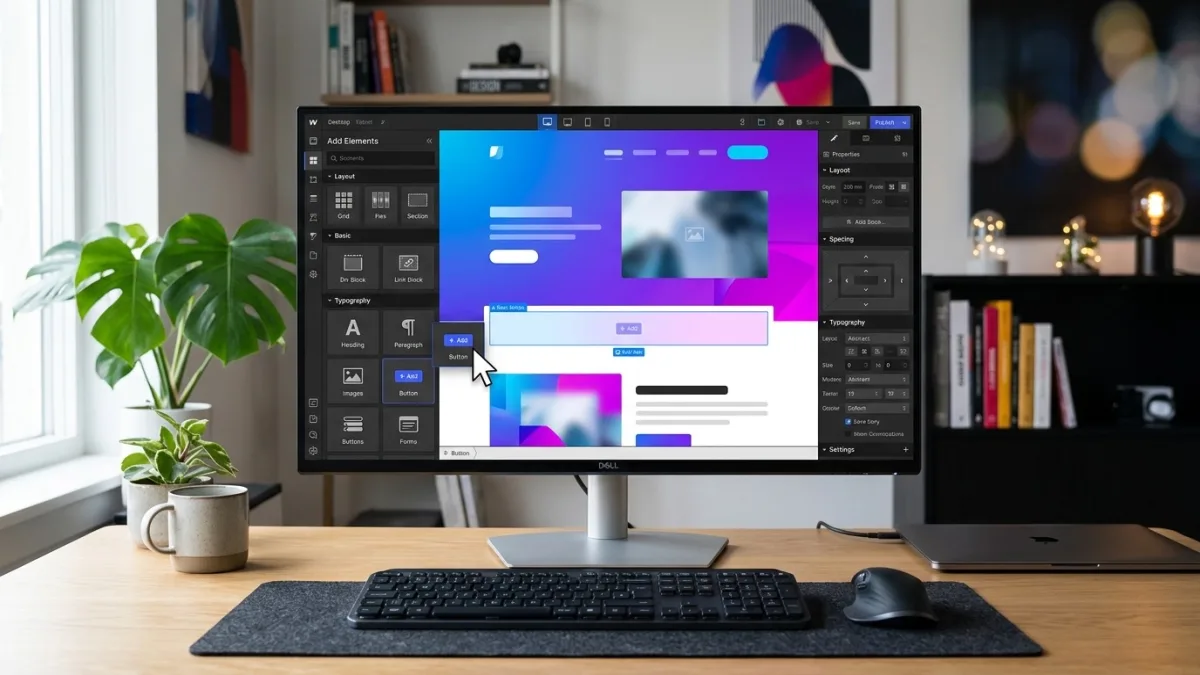
What is Webflow web design?
Webflow is a visual web development platform that outputs clean, production-quality HTML, CSS, and JavaScript without requiring designers or developers to write code manually. Unlike page builders such as Elementor or Divi that layer visual controls on top of WordPress's PHP architecture, Webflow is a standalone platform: its Designer is a browser-based IDE where layout changes made visually produce corresponding CSS classes in real time, without a gap between what you see on screen and what ships to the browser.
The term "Webflow web design" covers several distinct workflows. A Webflow Designer build starts from a blank canvas or Webflow's own template marketplace and constructs every layout, interaction, and animation within the Designer environment — producing a fully custom site with no off-the-shelf DNA. A template-based Webflow project purchases a community or marketplace template (typically USD$49–$149), loads it into the Designer, and adapts the visual design, copy, and CMS schema to the client's brand — faster and lower-cost, but producing a site that shares structural code with however many other businesses bought the same template.
Webflow CMS is the database layer built directly into the Designer: designers define what data types each content type contains (fields for blog posts, service pages, team members, case studies, portfolio projects) and then template those fields into layouts that automatically render every CMS item in the correct design without manual page duplication. Non-developer editors then use the Webflow Editor — an overlay that appears on the live site — to create and update CMS entries without touching the Designer or any code.
Webflow Hosting delivers the published site through AWS CloudFront, Amazon's global content delivery network with edge nodes in Canadian data centre regions including Montreal. Sites hosted on Webflow benefit from automatic SSL certificate provisioning and renewal, HTTP/2 by default, and Webflow's managed infrastructure — there is no cPanel, no PHP version to maintain, and no server to patch. For Canadian businesses with PIPEDA obligations regarding personal data handling, the absence of a server-side scripting layer and database exposed to the internet eliminates a significant class of security risk inherent to self-hosted WordPress.
Webflow also offers an Ecommerce product, a Memberships feature (beta as of 2026), a native Forms tool for lead capture, and a Localization add-on for multilingual sites. The platform is headquartered in San Francisco but serves a large and growing Canadian user base across agencies in Toronto, Vancouver, Calgary, and Montreal who build on Webflow as their primary or preferred platform for client work in the professional services, technology, real estate, and creative sectors.
Why Canadian businesses are choosing Webflow in 2026
The shift toward Webflow among Canadian businesses is not a trend driven by platform marketing — it reflects a concrete set of operational problems that WordPress creates at scale, and that Webflow structurally avoids. Understanding why requires looking at the specific failure modes that Canadian business websites encounter after launch, not just at platform capabilities at launch.
Plugin sprawl and the maintenance tax. A typical Canadian small-business WordPress site in 2026 runs 15–30 active plugins: an SEO plugin, a security plugin, a caching plugin, a form plugin, a cookie consent plugin, a backup plugin, a social sharing plugin, a performance optimization plugin, and so on. Each plugin has its own release cadence, compatibility window with the current WordPress core version, and licensing cost. The monthly administrative overhead of monitoring updates, resolving plugin conflicts after a WordPress core update, and renewing license subscriptions runs 3–8 hours per month for a site with 20+ plugins — work that either falls to the business owner or gets billed to a developer at CA$80–$150/hour. Over 36 months, that maintenance tax adds CA$8,000–$30,000 in labour and licensing costs that were not in the original website budget.
Security incidents. WordPress powers approximately 43% of all websites globally, which makes it the dominant target for automated scanning, brute-force attacks on wp-login.php, and exploit campaigns targeting known plugin vulnerabilities. Sucuri's 2024 Hacked Website Trend Report found that over 97% of all CMS-based infections in their dataset were WordPress sites, with plugins accounting for the majority of entry points. For a Canadian business with PIPEDA obligations, a successful intrusion that exfiltrates form submissions containing personally identifiable information (names, email addresses, phone numbers) triggers mandatory reporting obligations to the Office of the Privacy Commissioner at priv.gc.ca. The reputational and legal costs of a reportable breach are disproportionate to the cost of building on a platform that does not expose those attack surfaces in the first place.
Design precision. WordPress page builders — Elementor, Beaver Builder, Divi, WPBakery — produce visual output through abstraction layers that add HTML markup, CSS classes, and JavaScript not written by the designer. The gap between what looks correct in the builder and what renders in a real browser on a range of devices is a persistent source of QA cost. Webflow's output is the CSS the designer writes — there is no intermediate layer producing markup that the designer did not intend. For agencies and independent designers working with clients who have high visual standards, this fidelity to design intent is not a luxury — it is a prerequisite for delivering work that does not require a separate QA phase to diagnose builder-generated rendering errors.
Client independence after handoff. One of the most common complaints Canadian business owners raise about their WordPress websites is that they cannot update content without calling their developer. The Webflow Editor solves this at the architectural level: because content is separated into CMS collections with defined field types, and because the Webflow Editor presents only those fields (not the design layer) to content editors, clients can update page text, swap images, publish new blog posts, and add team members through a clean editing interface on any device. The developer is not in the loop for routine content changes.
Webflow's visual development environment: the Designer and CMS explained
The Webflow Designer is a browser-based application where every visual change — moving an element, adjusting padding, setting a font size, defining a hover state — writes the corresponding CSS in real time and is visible in the compiled stylesheet. There is no hidden markup layer: what the Designer renders is what the browser receives. This direct correspondence between design decisions and production output is the defining technical characteristic that distinguishes Webflow from every visual page builder built on top of an existing CMS.
Layout system. Webflow's layout model is built on CSS Flexbox and CSS Grid, exposed through visual controls in the Designer's Style panel. Designers set flex direction, alignment, gap, wrap behaviour, and grid column/row definitions without writing a line of CSS — but the output is semantically correct Flexbox and Grid, not float-based hacks or table layouts from a previous era of web development. Responsive breakpoints (desktop, tablet landscape, tablet portrait, mobile landscape, mobile portrait) are set per element in the Designer's breakpoint switcher, and the resulting CSS uses standard media queries with no framework dependency.
Interactions and animations. Webflow's Interactions panel lets designers build scroll-triggered animations, element entrance effects, hover micro-interactions, and multi-step page transitions without JavaScript libraries. The output is Webflow's own interactions runtime — approximately 15KB of JavaScript — plus the CSS transforms and transitions defined in the Designer. For Canadian marketing agencies building campaign landing pages for clients in Toronto, Vancouver, or Calgary where visual differentiation from competitors is a conversion variable, Webflow's native animation system eliminates the Greensock or GSAP integration step that a comparable WordPress build would require.
CMS schema design. Webflow's CMS is defined by the designer — not preconfigured. For a law firm website, you might define a Case Study collection with fields for practice area (option field), result summary (rich text), client industry (reference to another collection), and featured image. For a SaaS company, a Features collection might have fields for feature name, icon SVG code, benefit statement, and a toggle for whether the feature is available on the free tier. These schema decisions are made once during the design phase; the resulting data model is what content editors see in the Webflow Editor for the life of the site. The structure is visible and editable by the designer at any point — there is no hidden database to query or modify through a backend interface.
Code export. Webflow's code export feature (available on paid site plans) lets designers export the full HTML, CSS, and JavaScript produced by the Designer as a downloadable ZIP file. This feature is meaningful for Canadian businesses with specific hosting requirements — data residency requirements for sensitive sectors, corporate IT policies requiring internal hosting, or integration with an existing application infrastructure — that prevent them from using Webflow's own hosting. The exported code is clean, standards-compliant, and deployable on any web server. Webflow CMS and Webflow Hosting features are not available in the exported code; those are platform-specific services.
Webflow hosting in Canada: CDN performance and CAD pricing
Webflow's hosting is delivered through AWS CloudFront, Amazon's global CDN with over 400 edge locations worldwide, including Canadian presence in Montreal, Toronto, and Vancouver. For a Canadian business whose visitors are primarily in Quebec, Ontario, or British Columbia, this edge distribution means that cached static assets — images, CSS, JavaScript — serve from a physically close node, reducing time-to-first-byte and contributing directly to Core Web Vitals scores that influence search ranking in competitive Canadian markets.
Webflow hosting plans are priced in USD and billed at the prevailing CAD/USD exchange rate. As of 2026, the applicable tiers for business sites are the CMS plan (USD$23/month billed annually, approximately CA$31–$33/month at current rates), the Business plan (USD$39/month billed annually, approximately CA$53–$56/month), and the Enterprise plan (custom pricing). The Starter plan (free) is available for development and testing but does not allow custom domain mapping and cannot be used for a live business site. There is no separate server hosting cost, no SSL certificate renewal cost, and no CDN add-on cost — all are included in the hosting plan fee.
For comparison, a managed WordPress hosting plan delivering comparable performance — SiteGround Business, WP Engine Startup, or Kinsta Starter — runs CA$40–$110/month and requires additional security plugin licensing (CA$10–$30/month), a premium caching plugin (CA$50–$150/year), and an SSL certificate management layer, most of which is handled automatically by the managed host but which still requires monitoring and occasional manual intervention. The total monthly cost of a well-hosted WordPress site often exceeds the Webflow Business plan, with considerably more administrative overhead. For a full infrastructure cost breakdown across platforms, see the website hosting comparison guide.
Webflow vs WordPress: an honest Canadian comparison
The Webflow vs WordPress decision is the most common platform question Canadian businesses ask when evaluating a website rebuild. The honest answer is that neither platform is categorically superior — the right choice depends on the business type, team composition, content complexity, and budget. Here is the comparison weighted for Canadian business realities, not for a generic global audience:
| Criteria | Webflow | WordPress (self-hosted) |
|---|---|---|
| Design precision | Pixel-precise visual Dev; CSS output = design intent | Dependent on theme/builder; markup generated by intermediary |
| Security model | No PHP runtime, no plugin surface, no exposed DB; SOC 2 Type II | Plugin vulnerabilities account for majority of hacked sites (Sucuri, 2024) |
| Monthly hosting cost (CAD) | ~$31–$56/mo (all-in: CDN, SSL, infrastructure) | $40–$110/mo (managed host) + security + caching add-ons |
| Plugin/app ecosystem | Native features + limited integrations; no plugin store | 60,000+ plugins; deep ecosystem for every use case |
| Content editing for non-devs | Webflow Editor: in-browser overlay, field-level editing | WordPress admin dashboard: more complex, requires training |
| Bilingual EN/FR support | Localization add-on ($9–$29 USD/mo); /fr/ path supported | WPML or Polylang plugin; widely used in Quebec market |
| Ecommerce (Canadian) | Basic ecommerce; no native GST/HST/QST calc; no Interac Debit | WooCommerce; plugin-based tax calculation; Moneris/Beanstream support |
| SEO control | Direct per-page meta, canonical, OG, sitemap, JSON-LD | Yoast/Rank Math plugin; comparable outcomes; more configuration steps |
| Developer access to code | View-source clean output; code export available | Full PHP/MySQL/WP API access; unlimited custom code |
| Ongoing maintenance overhead | Low: Webflow manages infrastructure; no plugins to update | High: core + plugin + theme updates; security monitoring required |
| Design agency / freelancer availability (Canada) | Growing Webflow specialist community in TO/VAN/MTL/CGY | Largest designer/developer pool; widest range of rates and quality |
| Best for | Professional services, SaaS, agencies, portfolio, content-driven SMBs | Complex ecommerce, large content ecosystems, membership sites, custom apps |
WordPress remains the correct choice when the business needs WooCommerce for ecommerce with Canadian provincial tax support, when an existing large WordPress content archive makes migration uneconomic, when the technical team has deep WordPress expertise and can maintain the stack confidently, or when a specific functionality requirement — membership management, complex directory listings, multi-author editorial workflows — is best served by an established WordPress plugin with no Webflow equivalent. WordPress's 60,000+ plugin ecosystem will always offer more out-of-the-box functionality for highly specific use cases than Webflow's native feature set.
Webflow is the better call when the business is rebuilding from scratch or migrating away from an unmanageable WordPress installation, when design quality and pixel precision are marketing priorities rather than aesthetic preferences, when the internal team has the capacity to manage content in the Webflow Editor but not to navigate a WordPress admin dashboard, and when the ongoing maintenance overhead of a plugin-dependent site is consuming developer time that would better serve the business directed at marketing and conversion optimization. For a broader decision framework covering all platforms, see the website platform comparison guide.
Who Webflow is right for — and who should look elsewhere
Webflow's positioning in the Canadian market is clearer when you look at the businesses that get the most value from the platform, and the ones that consistently encounter the platform's limits and end up wishing they had chosen differently.
Webflow fits well for: Canadian professional services firms — law offices, accounting practices, engineering consultancies, financial advisors, management consultants — where the website's primary job is to build credibility and generate inbound leads. These businesses need a site that looks as professional as their competitors in New York, London, and San Francisco, that their marketing coordinator can update without calling a developer, and that does not create ongoing IT overhead. Webflow delivers all three.
B2B SaaS companies and technology startups in Toronto, Vancouver, and Waterloo building marketing sites (as opposed to application interfaces) have adopted Webflow as a near-standard platform. The combination of pixel-precise design, animated interaction patterns, fast CMS-driven blog and changelog publishing, and the ability to iterate on landing page designs without engineering sprints makes Webflow the default choice at most Canadian SaaS startups in the seed-to-Series A range.
Marketing and design agencies building client work consistently find that Webflow reduces production time on complex visual builds compared to WordPress, and that the client editor experience reduces post-launch support requests. Webflow's agency partner program (Webflow Partners) provides discounted workspace pricing, a directory listing, and access to training resources — meaningful operational benefits for a Canadian agency doing three or more Webflow projects per year.
Webflow fits poorly for: Any business that needs serious ecommerce. Webflow Ecommerce is functional for a handful of products but lacks the provincial tax automation, Interac Debit online support, Canada Post carrier integration, and Canadian payment gateway depth that Shopify provides. Choosing Webflow for a Canadian online store with more than 20–30 products adds significant configuration complexity and ongoing operational limitation that Shopify solves natively. For ecommerce, see the ecommerce website design guide.
Businesses that need very large content volumes — 5,000+ CMS items, highly complex relationship structures between collections, or editorial workflows with multi-author review queues — encounter Webflow CMS's limits. The CMS plan supports up to 2,000 items; the Business plan up to 10,000; beyond that, architecture workarounds or a migration to a headless CMS (Contentful, Sanity, or DatoCMS) feeding a Webflow frontend become necessary. For large content estates, WordPress with a well-architected custom post type structure remains more scalable at the CMS level.
Non-technical small businesses that need a website this week and have a budget under CA$2,000 are not Webflow's audience. The platform's power comes from designer expertise in the Designer environment; a Webflow template launched without a skilled designer produces a result that looks exactly like every other site on that template. Wix or Squarespace serve the sub-CA$2,000, no-designer segment better.
Webflow web design pricing in Canada (2026)
Canadian Webflow design rates in 2026 range from CA$75–$185/hour for a senior Webflow specialist, CA$55–$95/hour for a mid-level Webflow freelancer, and CA$90–$160/hour for a Canadian Webflow agency. Project-based pricing reflects those rates applied to typical scope at each tier:
| Tier | What you get | CAD price range | Typical timeline |
|---|---|---|---|
| Template launch | Webflow marketplace template adapted to brand, copy inserted, basic CMS configured, domain connected | $1,200 – $3,500 | 1 – 3 weeks |
| Custom Designer build (small) | Custom design in Figma, built in Webflow Designer from scratch; 5–8 pages; CMS for blog or one collection type; Webflow Editor setup for client | $4,500 – $9,000 | 4 – 7 weeks |
| Custom Designer build (full) | Full brand-level design system; 10–20 pages; 2–4 CMS collection types; Interactions and animations; SEO foundations; Webflow Localization (EN/FR) if required | $9,000 – $18,000 | 8 – 14 weeks |
| CMS-heavy build | Complex multi-collection CMS schema; case studies, team, services, blog, careers; filtered list pages; reference fields; Editor documentation for client team | $15,000 – $35,000 | 10 – 20 weeks |
| Enterprise / headless Webflow | Webflow as design layer feeding Contentful or Sanity CMS; custom API integrations; multi-brand workspace; Webflow Enterprise hosting; professional French localization | $35,000 – $100,000+ | 4 – 8 months |
| Monthly care plan | Webflow Editor support, CMS content changes, SEO monitoring, Webflow platform updates, analytics reporting | $200 – $1,000/mo | Ongoing |
On top of project fees, factor in Webflow's recurring hosting costs: the CMS plan at approximately CA$31–$33/month (billed annually) is the standard starting point for businesses with an active blog or CMS content. The Business plan at approximately CA$53–$56/month is required for sites exceeding 150,000 monthly page views and includes enhanced CDN and bandwidth. The Localization add-on for bilingual EN/FR support runs an additional USD$9–$29/month. There are no per-plugin or per-theme licensing costs — the platform fee covers everything the infrastructure delivers.
A useful total-cost-of-ownership comparison: a Webflow Business plan site at CA$56/month over three years costs CA$2,016 in hosting. A managed WordPress site at CA$75/month (hosting + security + caching) over three years costs CA$2,700, plus ongoing maintenance labour. When those maintenance hours are fully accounted for, Webflow's three-year cost of ownership is typically CA$5,000–$15,000 lower than a comparably complex WordPress site managed by an external developer. For the complete budget model, see the website cost guide.
Webflow CMS: managing your Canadian business site without a developer
Webflow CMS is the feature that most directly addresses the complaint Canadian business owners raise most consistently about their existing websites: "I can't update anything without calling my developer." The CMS architecture separates content from design at the database level — once a Webflow designer has defined the CMS schema and templated it into the page layout, all future content changes happen in the Webflow Editor, with no interaction with the underlying design system required.
The Webflow Editor is accessed by adding ?edit to any page URL on the live site (available to invited team members only — not the public). It renders as an overlay on the live page, highlighting editable CMS fields directly in context: the marketing coordinator clicks the team member's photo, sees a field to replace the image file, replaces it, and saves — the live page updates immediately without a developer publish step. Text fields, rich text blocks, images, toggles, reference fields to other collections, and custom option fields are all editable in this interface. Pages built from CMS templates — blog posts, service pages, case studies — are each editable as individual CMS items in the Editor's collection view.
For Canadian businesses with bilingual obligations, the Webflow Localization add-on extends the CMS to support locale-specific content variants. A blog post can have an English title and body and a separate French title and body stored in the same CMS item — the published URL routes correctly to each locale, and the Editor shows the active locale's content for editing. The Localization feature does not translate content automatically; a Canadian French translator must supply the French text for each CMS item. The platform provides the infrastructure; linguistic quality remains the client's responsibility.
Webflow's CMS integrates with Zapier and Make (formerly Integromat) for automation workflows. A common Canadian pattern: when a new lead form submission arrives in Webflow's native Forms panel, a Zapier trigger pushes the lead data to a Google Sheet and sends a Slack notification to the sales team, without manual checking of the Webflow dashboard. For businesses using a CRM (HubSpot, Salesforce, Pipedrive), Make workflows can route form submissions directly into CRM records and trigger outbound email sequences — without a plugin or additional code on the Webflow site itself.
Webflow SEO: built-in advantages and real limitations
Webflow's SEO capabilities are built into the platform at the field level rather than provided through a plugin. Every page in Webflow's Pages panel has dedicated fields for title tag, meta description, Open Graph title, Open Graph description, Open Graph image, canonical URL, and a robots meta override. JSON-LD schema can be embedded in the page's custom code section (per-page or globally via the site's Custom Code settings) without a plugin. The sitemap is generated automatically from published pages and updated on every publish. Robots.txt is editable through the site settings.
The performance advantage is real and measurable. A Webflow site built by a designer who understands image optimization — exporting images in WebP at appropriate dimensions, setting correct loading="lazy" on below-fold images and loading="eager" on hero images — consistently achieves LCP under 2.0 seconds on mobile in PageSpeed Insights. The platform's output has no WordPress query overhead, no PHP execution time, and no plugin-generated JavaScript to parse. AWS CloudFront's edge delivery to Canadian cities compounds this by serving cached assets from Montreal, Toronto, or Vancouver infrastructure depending on the visitor's ISP routing.
The limitations are also real. Webflow does not generate product schema, FAQ schema, or review schema automatically — these require manual JSON-LD in the custom code section, which means either a developer writes them once or they are omitted. CMS collection pages can have their JSON-LD templated with CMS field references (using Webflow's embed element inside a CMS template), but this requires deliberate schema architecture during the design phase, not an afterthought. Webflow's blog does not support comment systems natively — a disqualifying gap for communities and forums but irrelevant for most Canadian business sites. For Canadian businesses where local SEO is a priority — "web design Vancouver", "IT consulting Toronto", "accounting firm Montréal" — Webflow's city landing page strategy is straightforward: create a CMS collection for locations with city-specific fields and template each city page from that collection, producing correctly structured location-targeting pages at scale. The local SEO guide covers the complete architecture for Canadian local landing pages regardless of platform.
A Webflow site that converts well and ranks in competitive Canadian markets is not the product of the platform — it is the product of a skilled designer who understood SEO during the architecture phase, and of a business that invests in the content, backlinks, and ongoing optimization that no platform can substitute for. Canadian businesses pairing a well-built Webflow site with systematic lead generation work — Google Ads, local SEO, and conversion rate testing — consistently outperform those who treat the website launch as the end of the project. The digital marketing specialists at Lead4Pro work specifically with Canadian SMBs that have rebuilt on Webflow and need that systematic post-launch growth infrastructure to convert their improved site performance into a predictable lead pipeline.
Security, PIPEDA compliance, and Law 25 on a Webflow site
Security is the area where Webflow's architectural advantage over WordPress is most concrete and least contested. Webflow's publishing model compiles the Designer's output to static assets — HTML, CSS, JavaScript, and media files — that are delivered from AWS CloudFront. There is no server-side scripting execution, no database query on page load, and no application runtime that accepts user input at the server level except through Webflow's own Forms service (which is a separate API endpoint, not an application running on the same infrastructure as your site's content).
The attack surface that accounts for the overwhelming majority of WordPress compromises — vulnerable PHP code in plugins, database injection through form inputs, authentication bypass in wp-login.php, arbitrary file upload through outdated themes — does not exist in Webflow's architecture. There is no wp-login.php. There is no PHP. There is no exposed MySQL database. Automated scanning tools that probe web servers for WordPress indicators will find nothing to exploit on a Webflow-hosted site. This is not a feature Webflow added; it is a consequence of the platform's fundamental architecture.
For Canadian businesses with PIPEDA obligations, the relevant security question is not whether Webflow is "secure" in a general sense — it is whether the data flows on the site are handled appropriately. Webflow's native Forms feature stores form submissions in the Webflow dashboard and sends email notifications; form data is held on Webflow's servers in the United States. Canadian businesses in regulated sectors (healthcare, financial services, legal) that collect personal information through web forms and have strict data residency requirements should route form submissions through a Canadian-hosted endpoint rather than Webflow's native Forms — a webhook or Make workflow forwarding to a Canadian CRM or database resolves this. For businesses outside regulated sectors, Webflow's Forms handling is PIPEDA-compatible under the standard cross-border data transfer provisions, provided the privacy policy discloses that data is processed by a US-based service provider.
Quebec's Law 25 (Bill 64, in force September 2023 for most provisions) requires organizations that collect personal information from Quebec residents to obtain explicit consent before collecting non-essential data, to publish a privacy policy in French, and to conduct a Privacy Impact Assessment (PIA) for high-risk processing. For a Webflow site, this means implementing a cookie consent mechanism that conditionally loads Google Analytics, Meta Pixel, and any advertising tags only after explicit consent — Webflow does not provide this natively. Cookie consent is typically added via a third-party script (Cookiebot, Termly, or CookieFirst) loaded in Webflow's site-level Custom Code section. The Commission d'accès à l'information (cai.quebec.ca) publishes guidance on Law 25 obligations; PIPEDA guidance is at priv.gc.ca. Ensuring your Webflow site's privacy policy is compliant with both federal PIPEDA and Quebec Law 25 is a legal question for a qualified Quebec privacy lawyer, not a platform configuration question.
How a Webflow project runs in Canada: step-by-step from brief to launch
Understanding the professional workflow for a Webflow project removes the most common source of budget and timeline surprises: the assumption that a visual development tool makes projects faster at every phase. Webflow accelerates the implementation and publishing phases; it does not accelerate discovery, content production, or French translation. Here is the standard process for a professional Webflow build in Canada:
- Discovery and brief (Week 1). Business objectives, target audience and buyer personas, competitive website audit (typically reviewing five competitor sites), existing brand assets (logo files, brand guide, photography), site map requirements, CMS content types and fields, PIPEDA and Law 25 requirements, bilingual scope (EN only or EN+FR), integration requirements (CRM, booking system, payment gateway, marketing automation), and hosting and data residency considerations for regulated-sector clients. Output: written brief, recommended Webflow plan tier, scope document, and fixed-fee proposal.
- Information architecture and site map (Week 1–2). Full page list with URL slugs, CMS collection definitions with field lists, navigation structure, and CTA hierarchy (primary conversion action and secondary fallback per page type). Sign-off on site map before visual design begins prevents the most common cause of mid-project scope creep: discovering during design that a planned section requires a CMS collection type that was not in the original schema.
- Visual design in Figma (Weeks 2–5). Full design system in Figma: colour palette, typography scale, spacing system, button states, form components, card variants, icon set, and photography direction guidelines. High-fidelity mobile and desktop mockups for the homepage, two or three inner page types (service page, blog post template, and contact), and one CMS collection page. For EN+FR projects, one French-language mockup to surface any layout issues from longer French strings before implementation. Two rounds of client revisions included in fixed-fee scope.
- Webflow Designer build (Weeks 4–10, varies by scope). Design system built as Webflow Style Guide page using global classes, colour variables, and text style definitions. Page templates built in Webflow from the approved Figma designs. CMS schema created and CMS template pages built. Interactions and animations implemented where specified. Webflow Editor configured: CMS fields set as editable, static page sections marked editable where relevant, client editor accounts invited.
- Content entry and copywriting (parallel, Weeks 3–8). Final body copy for all pages, French translations if bilingual, photography (either licensed from a Canadian stock source or commissioned from a photographer in the client's city), team headshots, and any video assets. This workstream is the most common timeline extender in Canadian Webflow projects. French translations for a 15-page site typically require three to five business days from a professional translator; factor this into the project schedule at kick-off, not at design sign-off.
- SEO configuration (Week 9–10). Per-page title tags and meta descriptions written for every published page with keyword targeting. Open Graph images created and assigned. Canonical URLs set. JSON-LD schema blocks implemented (Organization, LocalBusiness, Service, FAQPage, BreadcrumbList — as applicable). Robots.txt reviewed. XML sitemap published and submitted to Google Search Console. IndexNow ping submitted to Bing Webmaster Tools for immediate index notification.
- PIPEDA and Law 25 compliance layer (Week 10). Cookie consent script installed in Custom Code, configured to block analytics and advertising scripts until explicit consent. Privacy policy page finalized in French and English. Contact form privacy disclosure added in both languages. For Quebec clients: French homepage, service pages, and contact page reviewed by a native Quebec French speaker before launch.
- QA and cross-device testing (Weeks 10–12). Full testing across Chrome, Safari, Firefox on macOS; Chrome and Samsung Internet on Android; Safari on iOS (iPhone SE as small-screen edge case, iPhone 15 as standard). CMS collection items reviewed for layout integrity across variable content lengths (short titles, long titles, missing optional fields). Interactions tested on a real mobile device — Webflow's Designer preview does not replicate real scroll-triggered interaction timing on mobile CPUs. Form submission tested end-to-end with a real email notification. Core Web Vitals measured via PageSpeed Insights targeting LCP under 2.5 seconds and CLS under 0.1 on mobile.
- Launch (Day 1–2). DNS A-record or CNAME updated in the domain registrar's DNS panel to point to Webflow's servers. TTL lowered 24–48 hours in advance to minimize propagation delay. Webflow custom domain connected and HTTPS verified. 301 redirects configured in Webflow's site settings for any legacy URLs that changed during the rebuild. Google Search Console property verified. Sitemap submitted.
- Post-launch (First 30 days). Google Search Console monitoring for crawl errors, coverage issues, and Core Web Vitals field data. Analytics review at day 7 and day 30 for bounce rate anomalies by page and device type. Webflow Editor walkthrough with the client's content team — record a Loom video demonstrating each CMS collection and static editable section so the team has a reference they can replay without calling the developer for routine questions.
Common Webflow design mistakes Canadian businesses make
These errors appear consistently in Webflow project audits and post-launch reviews across Canadian agencies and freelancers. Most are preventable with a thorough discovery process and a designer who understands both the platform's capabilities and its constraints.
Choosing a template without a designer. Webflow marketplace templates are starting points for skilled designers, not finished products for businesses without design expertise. A template launched without a designer's adaptation — unchanged colour palette, unchanged typography, stock placeholder photography still in place, default CMS schema left unmodified — produces a site that looks identical to every other business that bought the same template. If the business's budget does not include a designer, Wix or Squarespace deliver a more coherent out-of-the-box result. Webflow's power is inseparable from the designer who operates it.
Using global classes inconsistently. Webflow's class system is powerful but unforgiving of inconsistency during the build phase. A common error in Webflow projects built by developers learning the platform: using combo classes (modifier classes applied in addition to a base class) inconsistently, or creating one-off classes for elements that should share a global class. The result is a stylesheet with hundreds of redundant classes, a design system that is fragile under mobile breakpoint adjustments, and a published site where changing the heading colour in one section does not propagate to other sections using the same class. The fix is establishing a global class naming convention in the first Designer session and applying it rigorously throughout the build.
Skipping the CMS schema architecture phase. Webflow CMS field types are defined once and cannot be changed after CMS items have been created in that field. If a designer creates a text field where a rich text field is needed, or a plain image field where a multi-image reference field is required, the schema must be rebuilt with the correct field type and all CMS items re-entered. Treating CMS schema design as a step that happens during the build rather than as an architectural decision that happens before the build adds revision cost that is fully avoidable with a one-hour schema planning session during discovery.
Omitting JSON-LD schema. Webflow does not generate structured data automatically. A Webflow site without explicitly written JSON-LD schema blocks — Organization, LocalBusiness, FAQPage, Service, or BreadcrumbList as appropriate — misses the rich result opportunities in Canadian Google SERPs that schema-marked-up competitors capture. This is a deliberate implementation step, not a Webflow default, and it is commonly overlooked by designers who focus on visual design over technical SEO foundations. Budget for schema markup in the SEO configuration phase, not as an afterthought.
Publishing before the French content is ready (bilingual projects). A bilingual Webflow Localization project that goes live with English content showing in the French locale — because the translator was not engaged until after design sign-off — indexes English-language pages under French URL paths. Google indexes the first content it crawls; correcting English content indexed under /fr/ URLs requires a painful re-index cycle that can take four to eight weeks to fully resolve. Engage the translator at the same time as the designer, not after developer handoff.
Not briefing the client team on the Webflow Editor. Webflow Editor is straightforward to use once demonstrated, but it is not discoverable without instruction. Clients who are not shown how to navigate to the Editor, switch between locales, create new CMS items, and publish changes will default to emailing the designer for every content change — which recreates the client-developer dependency the platform is meant to eliminate. A 45-minute recorded Loom walkthrough of the Editor, tailored to the specific CMS schema of the delivered site, reduces post-launch developer support requests by an estimated 60–80% in the first six months.
Case study: Ottawa professional services firm rebuilds on Webflow
An Ottawa-based management consulting firm (anonymized at the company's request) had operated a seven-year-old WordPress site on a premium theme that had not received a major design update since 2019. By early 2025, the site was generating approximately 1,200 organic visits per month — significant for a firm of its size — but the inbound lead conversion rate from the site was less than 0.4%: fewer than five qualified inquiries per month from organic visitors. The firm's partners identified three problems from session recordings: the homepage did not clearly communicate the firm's industry specializations within the first viewport; the case studies section was a static text-only page with no filtering by sector; and the "Contact" call-to-action in the navigation required four clicks to reach a submitted form.
The diagnosis. A UX audit by a Ottawa-based Webflow designer found that the firm's most valuable landing page — a thought leadership article on federal procurement reform that ranked on page one for three relevant search terms — had no CTA within the article body and no sidebar or sticky element guiding readers to the consultation inquiry form. Visitors who arrived from search, read the article, and found value had no conversion path that did not require navigating to a separate Contact page through the main navigation. The WordPress site's theme architecture made adding an inline CTA to articles an eight-step process involving a custom field plugin, a PHP template override, and a plugin-generated shortcode — work that required a developer and had never been done.
The rebuild. A 14-week custom Webflow build (CA$22,500 including a professional EN/FR Localization implementation) structured the site around a CMS-driven case studies collection filterable by industry sector, a thought leadership blog with article-level CTA embeds templated into the CMS layout, and a simplified contact flow reachable in one click from every page through a persistent top-right navigation button. The homepage hero was redesigned to lead with the firm's three stated industry specializations above the fold on mobile, with case study preview cards pulling dynamically from the CMS collection below.
The results. Within 90 days of launch, the site's inbound qualified inquiry rate from organic traffic climbed from fewer than five to eighteen per month — a 3.5× lift with no change in organic keyword positions or advertising spend. The case studies collection filtered by sector, combined with the article-level CTA, captured inquiry intent from visitors who previously had no friction-free path to conversion. The French localization opened an identifiable segment of federal government procurement contacts in Quebec who had been visiting the English site but not converting. The firm's partners attributed approximately CA$380,000 in new contract pipeline in the first six months post-launch to leads that originated on the rebuilt site — a return that made the CA$22,500 build cost a rounding error in the project's business case. For additional real-world patterns by sector, see web design examples by industry.
Webflow website pre-launch checklist for Canadian businesses
Use this as explicit sign-off criteria with your Webflow designer before DNS cutover. Every item on this list is either a search performance risk, a legal compliance gap, or a post-launch support cost waiting to surface:
- Every page has a unique, keyword-relevant title tag under 60 characters and a meta description under 155 characters — verified in Webflow's Pages panel
- Canonical URLs set correctly on all pages — especially for CMS collection pages where multiple filter paths could produce duplicate content
- XML sitemap published and accessible at
/sitemap.xml— check that it includes CMS collection pages, not only static pages - Robots.txt reviewed — staging subdomains (webflow.io) not indexed; only the production domain indexed
- JSON-LD schema implemented and validated in Google's Rich Results Test: minimum Organization/LocalBusiness + BreadcrumbList on all pages; FAQPage on FAQ-containing pages; Service on service pages
- Open Graph image set for every page — verified by pasting the URL into Twitter Card Validator and LinkedIn Post Inspector
- All images exported in WebP format; all above-fold images set to loading="eager"; all below-fold images set to loading="lazy"
- Core Web Vitals tested via PageSpeed Insights on mobile: LCP under 2.5s, CLS under 0.1, INP under 200ms
- HTTPS enforced on custom domain — no mixed-content warnings in browser console (Chrome DevTools, Network tab, filter by "https" and look for "http" requests)
- Cookie consent script installed and configured to block Google Analytics, Meta Pixel, and any ad tags until explicit visitor consent — tested in a fresh Incognito browser session
- Privacy policy page live in English and French (if bilingual); references PIPEDA; Law 25 clause present if selling to or collecting data from Quebec residents
- Contact and lead generation forms tested end-to-end: submission sends the expected email notification to the correct business address
- All 301 redirects configured in Webflow's site settings for any legacy page URLs that changed during the rebuild — tested individually with a URL checker tool
- French locale tested end-to-end on a real French-language mobile browser (Safari on iOS, language set to French Canada) — check for text overflow, truncation, and locale-switcher functionality
- Webflow Editor walkthrough completed with the client's content editor — new CMS item created, edited, and published live by the client during the walkthrough session, not by the designer
- Google Search Console property verified with DNS TXT record or HTML file method; sitemap URL submitted
- Bing Webmaster Tools verified and sitemap submitted; IndexNow key file present at webroot for immediate ping on content updates
- CRM or lead notification integration tested: form submissions route correctly to the designated CRM, Google Sheet, or Slack notification channel
- 404 page designed and published — not the Webflow default — and includes a search field or links to the five most important pages
Frequently asked questions
How much does Webflow web design cost in Canada?
Webflow web design in Canada costs CA$1,200–$3,500 for a template-based launch, CA$4,500–$18,000 for a fully custom Designer build, and CA$20,000–$100,000+ for complex enterprise or headless builds. Webflow hosting adds approximately CA$31–$56/month depending on plan tier. There are no plugin licensing costs, which often makes the three-year total cost of ownership lower than a comparably complex WordPress site managed by an external developer.
Is Webflow better than WordPress for Canadian businesses?
Webflow outperforms WordPress on design precision, security, and maintenance simplicity for most Canadian professional services, SaaS, and content-driven businesses. WordPress is the better choice for complex ecommerce (WooCommerce), very large content archives, or businesses that need a specific plugin that has no Webflow equivalent. For a side-by-side comparison, see the full table in this guide and the platform comparison page.
Does Webflow have good SEO for Canadian search?
Yes. Webflow gives direct control over every SEO element per page — title, meta description, canonical, Open Graph, robots, and JSON-LD schema — without a plugin. AWS CloudFront delivery to Canadian cities supports strong Core Web Vitals scores. The platform does not produce SEO automatically; it requires deliberate implementation by a designer who understands SEO. Done properly, a Webflow site competes effectively for competitive Canadian search terms.
Is Webflow secure enough for Canadian business websites?
Webflow's no-plugin, no-PHP architecture eliminates the attack surfaces that account for the overwhelming majority of hacked CMS sites. There is no wp-login.php, no exposed database, and no third-party plugin code to patch. Webflow hosting is SOC 2 Type II certified on AWS infrastructure. For Canadian PIPEDA obligations, the key configuration is routing form submissions through a Canadian-hosted endpoint if data residency is required, and implementing cookie consent for Law 25 compliance through a third-party script in Custom Code.
How does Webflow CMS work for Canadian content editors?
Webflow CMS stores structured content (blog posts, service pages, team profiles, case studies) in defined collections with field types the designer configures. Non-developer editors update content through the Webflow Editor — an overlay on the live site, accessible from any device by appending ?edit to the URL — without touching design code. For bilingual sites, the Localization add-on extends each CMS collection to hold French and English field variants simultaneously.
Does Webflow support French and English bilingual websites?
Yes. Webflow's Localization add-on (USD$9–$29/month) supports multiple locale paths (/fr/), locale-specific CMS content, translated static text strings, and locale-switching UI. Quebec's Loi sur la protection du consommateur requires French-language product pages, checkout copy, and privacy policy for consumers in Quebec — Webflow Localization provides the technical infrastructure; professional Quebec-based translation of the French content is always required to meet the legal standard.
Can I use Webflow for ecommerce in Canada?
Webflow Ecommerce is suitable for small catalogues of digital products, prints, or services where design is the priority. It lacks native Canadian provincial tax calculation (GST/HST/QST/PST), Interac Debit online support, and Canada Post real-time carrier integration. For any Canadian business with more than 20–30 products, logistics complexity, or a need for Interac Debit acceptance, Shopify is the operationally stronger platform. See the ecommerce website design guide for a full comparison.
Get a free Webflow design plan
Tell us about your project — we will send back a platform recommendation, CMS architecture outline, and a realistic Canadian timeline and budget estimate. No payment required.