Best Plumber Websites: What Turns Searches Into Calls
By WebDesignGuide · Updated November 2026
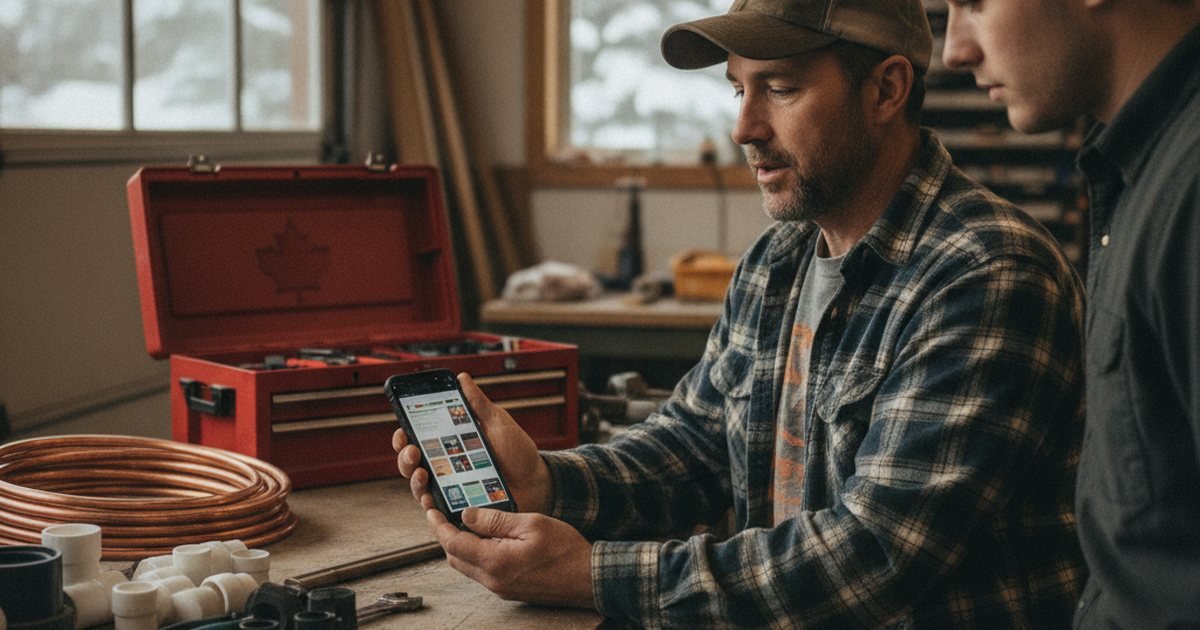
Why plumbing sites are judged differently
Plumbing searches split into two types. Emergency searches (burst pipe, no hot water, sewer backup) come from people who want one answer: "Who can come now, and how do I reach them?" Planned work searches (water heater replacement, bathroom remodel plumbing, repiping) come from people who compare two or three companies.
A site that serves only one group loses the other. The best sites make the emergency path simple, while still offering enough detail and proof for planned work customers. That means a visible phone number, honest availability, service pages and some form of pricing guidance.
Traits of high-performing plumber sites
- Sticky tap-to-call. A phone button that stays visible on mobile, with the number written out for desktop users.
- Emergency clarity. If you offer 24/7 or after-hours service, say so in the first screen and mention any call-out premium. If you do not, say your regular hours rather than implying you do.
- Service pages that match searches. Drain cleaning, water heaters, leak repair, sump pumps, backflow, fixture installs, gas lines (if licensed), and so on.
- Service area pages. Name the cities and districts you serve, and the way you handle travel.
- Credentials shown. Provincial trade certification (Red Seal plumbers, licensed gasfitters), business licence, liability insurance and manufacturer certifications you actually hold.
- Real photos. Trucks, uniforms and crew. Stock images of generic pipes add little.
- Honest pricing guidance. Explain what influences cost, and give typical ranges for common jobs where you can.
Feature comparison table
| Element | What weak sites do | What strong sites do |
|---|---|---|
| Phone | Number in footer only | Tap-to-call in header and sticky mobile bar |
| Emergency message | Vague "call us" | Exact hours, response approach, call-out fee note |
| Services | Single list | Dedicated page per service with FAQs |
| Areas | "Serving the region" | Named cities and neighbourhoods |
| Trust | Generic badges | Certification, insurance and Google reviews linked |
| Form | Long contact form | Three or four fields, photo upload optional |
| Speed | Heavy sliders | Compressed images, minimal scripts |
For layout ideas, look at plumber website examples, and see what a plumber website should include.
Local search matters more than design
Most plumbing customers choose from the map results on Google. That means your Google Business Profile, reviews and the match between your profile and website often matter more than a fancy homepage. Set a service area instead of a public address if you work from home, keep your hours accurate and use the right categories.
On the site, build pages for the main cities you want to serve, written with real local detail such as the water heater types common in older housing, hard-water issues, freeze-prone pipes in cold regions or basement drainage problems in areas with heavy spring melt. Avoid duplicating one page with only the city name changed, since that looks thin to both visitors and search engines. The local SEO guide and the article on the Google local pack cover this in detail.
Costs and choosing a route
- DIY builder: roughly $15 to $60 per month. Workable for a one-truck business with time to write pages.
- Freelancer or small agency: typically $2,000 to $5,000 for a clean 6 to 10 page site with emergency and service pages.
- Larger custom site with many city and service pages: roughly $5,000 to $8,000.
- Local SEO retainer: roughly $100 to $300 per month.
Worked example: if an average repair or install job leaves roughly $400 in gross profit and the site and SEO cost $3,000 plus $150 per month in year one ($4,800 total), the business needs about twelve extra jobs from the site that year to break even. That is a modest target for a plumber in a busy market, but check actual call tracking after six months. Details are in the website cost guide.
Pre-launch checklist for a plumber website
- Tap-to-call button on every page, tested on iPhone and Android.
- Emergency and regular hours stated accurately.
- Pages for the five to ten main services.
- Named service areas with distinct content.
- Trade certification and insurance mentioned truthfully.
- Google Business Profile linked and matching.
- Contact form tested and notifications confirmed.
- HTTPS enabled and privacy notice published, with French content if serving Quebec.
Compare against the broader small business website checklist.
A worked example of an emergency page
An emergency plumbing page can capture high-intent searches. Keep it short: a headline that names the problem (burst pipe, sewer backup, no hot water), a tap-to-call button, three safety steps while the customer waits (shut off the main water valve, switch off the water heater if flooding, keep electrical devices away from water), and an honest statement about how fast you can usually attend and any after-hours fee.
Do not promise arrival times you cannot meet. Add a form for non-urgent cases so that people who are not in an emergency still have a path. Then link the page from the header or homepage so visitors can reach it in one tap.
Common mistakes plumbers make online
Claiming 24/7 service when you do not offer it. It generates angry reviews and wasted calls.
Using a call-tracking number carelessly. Tracking numbers on the website are fine, but make sure the main number on Google matches your official business details, or use dynamic tracking set up by a professional.
Skipping photos. Show your trucks, team and finished jobs, with permission from customers where faces or homes are visible.
Forgetting seasonality. In colder regions, frozen pipes and furnace-related plumbing spike in winter, while sump pump and drain issues rise in spring. Update content ahead of those periods.
Ignoring reviews. Reply politely to every review. If you want help building a site that converts urgent searches, Lead4Pro works with Canadian trades.
FAQ
What makes a plumber website effective?
A visible tap-to-call button, clear emergency and regular hours, individual service pages, named service areas, proof of certification and insurance, real photos and fast mobile loading. The aim is to help someone with a leak contact you within seconds and feel confident you can fix it.
How much does a plumber website cost in Canada?
Typically roughly $2,000 to $6,000 CAD for a custom site, or $15 to $60 per month on a DIY builder. Local SEO support adds roughly $100 to $300 per month if you want help ranking in map results and for service searches.
Should I list prices on my plumbing website?
Listing typical ranges or call-out fees for common jobs builds trust and filters poor-fit enquiries. Use cautious wording like typically or starting from, explain what changes the cost, and note taxes such as GST/HST and PST where applicable.
Do I need separate pages for each city I serve?
If you want to rank in several cities, yes, but each page needs genuinely local content, such as neighbourhoods, common housing types and local issues. Pages that only swap the city name tend to perform poorly and look repetitive to visitors.
How important are Google reviews for plumbers?
Very important, because many customers choose from the map results and compare ratings. Ask satisfied customers for reviews after the job, reply to all feedback politely, and never buy, fake or incentivize reviews in ways that break platform rules or Canadian advertising law.
Keep reading
- How to make a one page website for a small business
- How to make a website for a small contractor
- How to make a website load faster
- How to make a website more professional
- How to optimize a website for local search
- All What a Website Really Costs in Canada guides
Get a free website & SEO quote
Tell us about your business. We send back a price range and a plan to rank locally. No payment.