Landscaping Website Examples: What Works in Canada
By WebDesignGuide · Updated November 2026
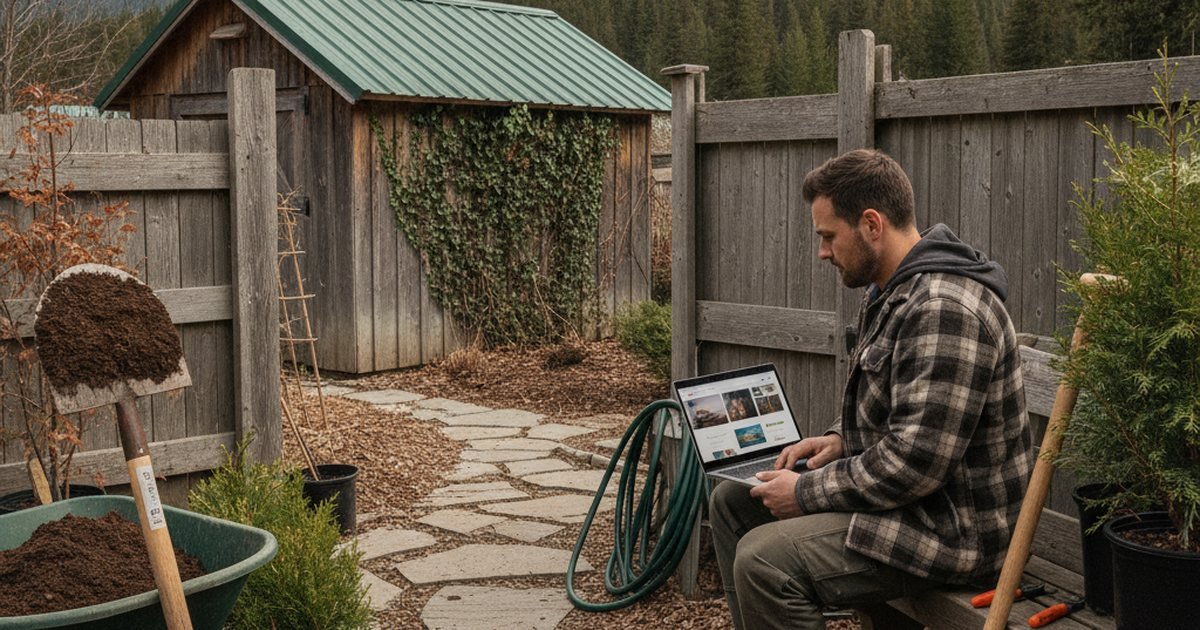
What strong landscaping sites have in common
Landscaping is a visual purchase. A homeowner deciding between three companies is mostly judging finished work, so the strongest sites put real project photography above the fold and let the copy support it. A site that opens with a stock photo of a lawn mower and a paragraph about "passion for the outdoors" gives a visitor nothing to evaluate.
Across the better Canadian landscaping sites, the same elements keep appearing:
- A hero image of a real completed project, ideally with the region visible (a typical Ontario backyard, a Prairie lot, a Quebec front yard).
- A phone number and a "Request a quote" button in the header on every page.
- Four to six service tiles that link to full pages: design and installation, hardscaping, lawn maintenance, tree and shrub care, snow removal.
- A project gallery sorted by service type, with a one-line caption saying what was built and in which neighbourhood.
- A short, plain description of how a project runs, from site visit to final walkthrough.
None of this requires a large budget. A custom 8 to 12 page site typically lands between $3,000 and $7,000 CAD, and our website cost guide breaks down where that money goes.
Gallery design: the part that actually sells the job
The gallery is where most landscaping sites win or lose. Three rules cover most of it.
Show process, not just results. A before photo, a mid-build photo and an after photo of the same space tell a homeowner you can handle their yard. Cropped, heavily filtered "after" shots with no context look like stock imagery, even when they are not.
Organize by service. Someone looking for a retaining wall does not want to scroll past forty lawn photos. Filter tabs for patios, walls, planting, lighting and lawn care keep the page useful.
Keep file sizes under control. Landscaping galleries are the single most common cause of slow contractor sites. Resize images to roughly 1600 pixels wide, compress them, and lazy load everything below the first screen. A gallery that takes eight seconds to load on a phone loses the homeowner standing in their backyard, comparing quotes.
If you do not yet have good photos, budget a half day for a local photographer in the first season. It typically costs $400 to $900 CAD and gets reused on the site, Google Business Profile and social posts.
Planning for a seasonal business
Most of Canada has a landscaping season of roughly April to November. A site built only for summer design work leaves revenue on the table for five months. Better sites handle seasonality in three ways.
- Separate pages for each season. A snow removal page, a spring cleanup page and a fall aeration page each rank for different searches and can be promoted at different times.
- Contract-friendly snow removal content. Property managers and homeowners searching for seasonal plowing want service areas, response triggers (for example, accumulation thresholds), and how contracts are billed. Putting that information up front filters out poor-fit leads.
- Booking windows. A note such as "Now booking spring 2027 installs" gives visitors a reason to enquire now instead of waiting.
Regional climate matters too. In British Columbia coastal markets, the work is closer to year-round and drainage, moss and planting for mild wet winters become key topics. On the Prairies, hardy plant selections and short seasons shape the content. A page that reflects those local realities signals real experience.
Service and service-area pages that rank
Many landscapers rely on one "Services" page listing everything. That makes it hard to rank for specific searches such as "interlock patio installation" or "snow removal near me". A better structure is one page per core service, plus a short page for each main city or suburb you serve.
Each service page should cover what is included, typical price ranges or what affects price, the materials you use, a few project photos, and a clear next step. Avoid copying the same text across city pages with only the town name swapped. Search engines treat that as thin content, and homeowners notice it too.
Your Google Business Profile should match the site. Use the same business name, phone number and service list, and select categories such as Landscaper or Landscape designer. For wider local visibility, see our local SEO guide.
Comparing common landscaping site approaches
| Approach | Typical cost (CAD) | Best for | Main weakness |
|---|---|---|---|
| DIY builder (Wix, Squarespace) | $15 to $60/mo | Owner-operators starting out | Slow galleries, limited SEO control |
| WordPress with a premium theme | $2,000 to $5,000 once | Growing crews wanting service pages | Needs updates and backups |
| Fully custom site | $5,000 to $10,000 once | Design-build firms with high-value jobs | Higher upfront cost |
| Template plus local SEO retainer | $100 to $300/mo extra | Firms wanting steady lead flow | Results take months |
Our platform comparison goes deeper on the tradeoffs. For most landscapers with fewer than ten employees, a well-built WordPress or similar site with good photography outperforms an expensive custom build with weak content.
Quote forms, trust signals and legal basics
A quote request form should ask only what you need to respond: name, phone, email, address or postal code, service type and a short description. Every extra required field lowers completion. Add an optional photo upload, which saves a site visit for simple jobs.
Trust signals that matter in Canada include WSIB or provincial workers' compensation coverage where applicable, liability insurance, relevant certifications (for example, interlocking concrete or pesticide applicator licensing where your province requires it), and manufacturer warranties for materials. State only what you actually hold. Show real Google reviews as plain text, not a made-up star rating.
Collect enquiries lawfully. Under PIPEDA you must say what you do with personal information, and a short privacy page linked in the footer covers it. In Quebec, public-facing content must be available in French under Bill 96, and Law 25 adds consent and transparency duties around personal data. If you send newsletters or seasonal promotions, CASL requires consent and an easy unsubscribe.
Worked example: a two-crew landscaper
Picture a two-crew business in a mid-sized Ontario city doing patios, planting and weekly lawn care, plus snow removal from December to March. A sensible build is a 10 page site: Home, About, Contact, five service pages, a gallery and a snow removal page, plus a privacy page.
Budget might look like this: site build $3,500, photography $600, Google Business Profile setup and cleanup $0 to $300, and ongoing hosting and maintenance around $50 to $100 per month. The owner then posts one finished project a month to the gallery and asks every satisfied customer for a Google review.
The point is not the exact numbers. It is the order of priorities: proof of work first, clear services second, an easy quote form third. If you want help scoping something similar, Lead4Pro works with Canadian contractors on this kind of build.
Common mistakes to avoid
- Using stock photos of lawns that are obviously not Canadian.
- Hiding the phone number in a footer or only in a contact page.
- Uploading unoptimized 6 MB photos straight from a phone.
- Listing services without any price context or process explanation.
- Ignoring the off-season and having no snow or cleanup offer.
- Letting the gallery go stale, with the newest project two years old.
- Copying the same text across every city page.
Fixing these costs far less than a redesign, and it is usually where the quickest gains are. Our small business website checklist is a good place to audit the basics.
FAQ
How much does a landscaping website cost in Canada?
A DIY builder runs about $15 to $60 per month. A professional WordPress site typically costs $2,000 to $5,000, and a fully custom build can reach $5,000 to $10,000 CAD. Photography, content writing and ongoing maintenance are usually extra, so ask for a complete quote.
How many photos should a landscaping gallery have?
Quality matters more than volume. Roughly 20 to 40 strong photos grouped by service is enough to start. Include before, during and after shots of a few projects, and add new work each season instead of waiting for a big update.
Should I put prices on my landscaping website?
Exact prices are rarely practical, but price context helps. Explain what affects cost, give a typical starting range for common jobs if you are comfortable, and invite a quote request. This filters out poor-fit leads and builds trust.
Do I need a separate page for snow removal?
Yes, if you offer it. Snow removal is searched for differently, by different people, in a different season. A dedicated page covering service areas, response triggers and contract options can bring winter revenue that a general services page will not.
Is a Google Business Profile enough without a website?
It helps, but a website gives you control over your message, service pages and gallery, and supports rankings across more searches. The profile and the website work best together, with matching business details on both.
Keep reading
- What is the difference between domain and hosting
- What makes a good small business website
- What pages should a small business website have
- What should a contractor website include
- What should a dentist website include
- All What a Website Really Costs in Canada guides
Get a free website & SEO quote
Tell us about your business. We send back a price range and a plan to rank locally. No payment.