The one-sentence difference (and why it keeps getting blurred)
UX is about the experience of using something; UI is about the surface you touch to use it. The cleanest analogy is a house. UX is the architecture and floor plan — where the rooms go, how you move between them, whether the kitchen is near the dining room, whether the front door opens into a useful space or a wall. UI is the interior finish — the paint colour, the light fixtures, the cabinet handles, the texture of the countertops. A house with a brilliant floor plan and ugly finishes still works. A house with gorgeous finishes and a broken floor plan looks great in photos and is miserable to live in.
The two get blurred for an honest reason: on a screen, they are physically the same pixels. When you look at a checkout page, you cannot see the UX and the UI as separate layers — you see one interface. The UX (the decision to ask for an email before a password, to show a progress bar, to keep the cart visible) is invisible once it works. The UI (the button colour, the field spacing, the error styling) is what you consciously notice. Because the result is fused, the disciplines that produced it get fused in conversation too. That is fine in casual talk and expensive in a project brief, where "we need UX/UI" can mean anything from "make it pretty" to "rethink the entire flow."
A practical test to tell them apart: ask "would this problem still exist if the screen were described to a blind person over the phone?" If yes — the steps are confusing, the order is wrong, the user does not know what happens next — it is a UX problem. If the problem only exists visually — the text is hard to read, the button is invisible against the background, the layout feels cluttered — it is a UI problem. Most real-world issues are a mix, which is exactly why both disciplines belong on the same project.
What UX design actually means
User experience design is the practice of making a product useful, usable, and satisfying by understanding real users and shaping the product around their goals. The term was coined by Don Norman at Apple in the early 1990s, and deliberately covers more than screens — it includes the entire journey a person has with a company, from the first ad they see to the support call after purchase. In a web context, UX narrows to how someone moves through a site to accomplish something: find a price, book a consultation, complete a purchase, recover a password.
UX is fundamentally about decisions before pixels. A UX designer asks: who is this for, what are they trying to do, what is standing in their way, and what is the shortest credible path to done? They answer those questions with research and structure, not with colour. The deliverables — personas, journey maps, information architecture, user flows, wireframes — are mostly grey boxes and arrows on purpose, so stakeholders argue about the logic instead of the shade of blue. Getting the logic right first is what prevents a beautiful site that nobody can navigate.
UX work is also where measurable business problems get solved. If a Canadian clinic's online booking form is abandoned by 70% of visitors, the fix is almost never "nicer buttons." It is usually structural: the form asks for insurance details before showing available times, or it forces account creation before booking, or it does not work on a phone where 65% of the traffic comes from. Those are UX failures, and they cost real revenue. Good UX is the difference between a site that exists and a site that earns.
What UI design actually means
User interface design is the practice of crafting the visual and interactive surface of a product — everything a user sees and directly manipulates. Where UX decides that a screen should let someone choose a service and pick a time, UI decides exactly how that screen looks: the layout grid, the typeface and sizes, the colour palette, the spacing rhythm, the button shapes, the icon style, the imagery, and how every element responds when hovered, tapped, focused, loading, disabled, or in error.
UI is where craft and consistency live. A strong UI designer is obsessive about things most people never name but everyone feels: that headings step down in a clear hierarchy, that there is enough contrast to read in sunlight, that interactive elements look interactive and static text does not, that the spacing between a label and its field is tighter than the spacing between two different fields so the eye groups them correctly. These micro-decisions, multiplied across a site, are the difference between an interface that feels trustworthy and one that feels amateur — even when the underlying flow is identical.
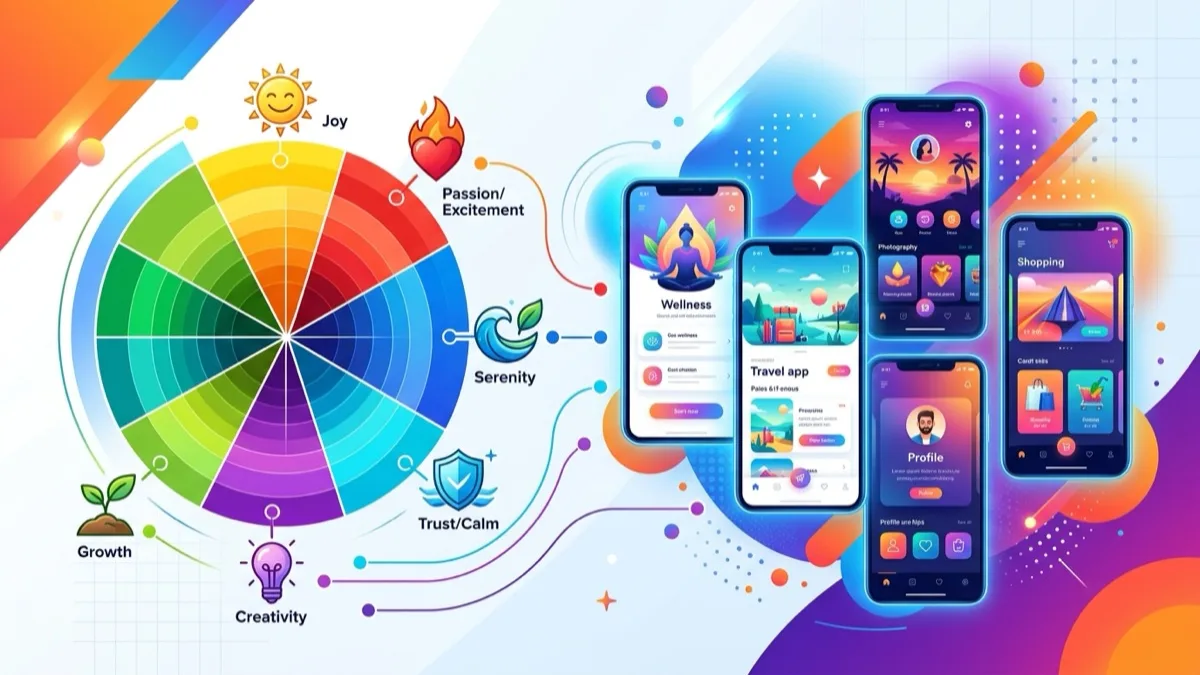
Critically, UI is not "decoration." A well-designed interface does real cognitive work: it directs attention to the primary action, it signals what is clickable, it communicates system status, and it reduces the effort of reading and deciding. Visual hierarchy is a UX outcome achieved through UI means. This is exactly why the disciplines refuse to fully separate — the colour of a checkout button is a UI choice that has a direct UX (and revenue) consequence. UI is the layer where the experience becomes tangible, and on the web it is heavily shaped by colour and contrast; our colour psychology guide goes deep on that single dimension.
UX vs UI: the side-by-side comparison
The table below maps the two disciplines across the dimensions that matter when you are scoping a project or hiring. Read it as "different focus," not "different importance" — a real website needs every row in both columns.
| Dimension | UX design | UI design |
|---|---|---|
| Core question | How does it work and feel? | How does it look and respond? |
| Focus | Structure, flow, logic, problem-solving | Visuals, layout, interaction surface |
| Starts with | User research and goals | Brand, hierarchy, and approved flows |
| Fidelity | Low — grey wireframes, diagrams | High — pixel-accurate mockups |
| Key deliverables | Personas, journey maps, IA, user flows, wireframes | Mockups, design system, components, states, icons |
| Main tools | Figma/FigJam, Maze, Hotjar, Dovetail, Optimal Workshop | Figma, component libraries, icon & type systems |
| Success measured by | Task completion, time on task, error rate, satisfaction | Clarity, consistency, accessibility, brand fit |
| Failure looks like | Confusing, frustrating, dead ends, abandonment | Cluttered, unreadable, inconsistent, untrustworthy |
| Conversion lever | Removes friction from the path | Builds trust and guides attention |
| Analogy (a house) | Floor plan and architecture | Paint, fixtures, and finishes |
What a UX designer does day to day
Strip away the job-title glamour and a UX designer spends most of their time reducing uncertainty. They turn vague requests ("we need more leads") into structured, testable design decisions. A typical engagement on a Canadian SMB website runs through a recognizable sequence of activities, even when the budget compresses them into days rather than weeks.
Research and discovery. Interviewing or surveying real customers, reviewing analytics and heatmaps, auditing the current site for friction, and studying competitors. The goal is evidence, not opinion. Even a lightweight pass — five customer interviews and a session-recording review — routinely surfaces problems the business never knew it had.
Defining and structuring. Synthesizing research into personas (who we are designing for), journey maps (what their path looks like today, including the painful parts), and information architecture (how content and pages should be organized so people find things). This is where a confusing 40-page site gets reorganized into a navigable structure.
Flows and wireframes. Drawing the step-by-step path for each key task — say, "request a quote" — and sketching low-fidelity wireframes of each screen. Deliberately grey and unstyled so the conversation stays on logic. A wireframe answers "what is on this screen and in what priority," not "what colour is it."
Testing and iterating. Putting prototypes in front of real users, watching where they hesitate or fail, and revising. Usability testing with as few as five participants catches roughly 85% of the most severe issues — one of the best-known and most cost-effective findings in the field. For Canadian sites, testing should include mobile users and, where relevant, French-language users, since translation can quietly break a layout or a label that tested fine in English.
What a UI designer does day to day
A UI designer takes the approved structure and makes it real, beautiful, and consistent. Their day is a balance of creative craft and systematic discipline — and the discipline is what separates a professional UI from a talented amateur's. Their core activities cluster around four areas.
Visual language. Establishing the colour palette (including accessible contrast pairs), the type scale (font choices and a consistent set of sizes and weights), the spacing system, the corner radii, the shadow treatment, and the imagery style. These choices encode the brand and set the emotional tone before a visitor reads a single word.
High-fidelity screens. Designing pixel-accurate mockups of every page and state, applying the visual language to the wireframes. This is where the grey boxes become a real homepage, service page, and checkout — and where visual hierarchy is engineered so the eye lands on the primary action first.
Components and states. Building reusable components — buttons, inputs, cards, navigation — and designing every state each one can be in: default, hover, focus, active, disabled, loading, error, empty. Amateur UI shows only the happy path; professional UI designs the error message and the empty cart, because that is where users actually get stuck.
Design system and handoff. Packaging all of the above into a documented design system or style guide so developers build consistently and future pages stay on-brand. A good handoff specifies exact values — hex codes, pixel spacing, font sizes, breakpoints — so the live site matches the design instead of drifting. This is also where responsive behaviour is specified across phone, tablet, and desktop; our responsive design guide covers how those breakpoints are decided.
Where UX and UI overlap (the messy, important middle)
The clean split above is a teaching tool, not a wall. In practice the two disciplines bleed into each other constantly, and the most valuable work happens in the overlap. Pretending they are fully separate is how projects end up with a flawless wireframe that turns ugly in production, or a stunning mockup that ignores how people actually behave.
Visual hierarchy is both. Deciding that the "Book now" action is the most important thing on the page is a UX decision. Making it unmistakably the most prominent element through size, colour, and placement is a UI execution. Neither alone gets a visitor to click.
Microcopy and labels. The words on a button ("Get my free plan" vs "Submit") shape the experience and the click-through rate. Writing them is part UX (what will users understand and trust?) and part UI (how does the text fit and read in the component?).
Interaction and motion. How a menu opens, how a form validates, how a page transitions — these are designed for both usability (does it make the system state clear?) and polish (does it feel smooth and intentional?). A loading spinner is UI; deciding to show feedback within 100 milliseconds so users do not think the site is broken is UX.
Accessibility. Possibly the largest overlap. Keyboard navigation, logical reading order, and clear labelling are UX. Colour contrast, visible focus rings, text sizing, and target sizes are UI. You cannot ship an accessible product by treating accessibility as only one discipline's job — it has to be built into both, which we return to below.
This overlap is exactly why the combined title "product designer" has become common, and why on smaller Canadian projects one capable generalist owning both layers often produces a more coherent result than two specialists with a handoff seam between them. The risk of one person is depth; the risk of two people is the gap in the middle. Either model works when the overlap is treated as shared territory rather than a no-man's-land.
The end-to-end process: how UX and UI fit together
On a healthy project, UX and UI are not parallel tracks — they are mostly sequential with a deliberate handoff, then a loop back. UX establishes what to build and in what order; UI makes it real; testing checks both. Here is the canonical sequence, compressed or expanded to fit the budget.
- Discover (UX). Research users, audit the current site, study competitors, and define the business goal and the user's goal. Output: clarity on who and why. Skipping this step is the root cause of most redesigns that "look better but convert worse."
- Define and structure (UX). Personas, journey maps, and information architecture. Decide the sitemap and the priority of content on each key page before anyone opens a colour picker. Output: an agreed structure.
- Wireframe and flow (UX). Low-fidelity screens and step-by-step task flows. Stakeholders approve the logic here — cheaply — instead of after the expensive visual design is done. Output: approved skeleton.
- Prototype and test (UX, sometimes UI). A clickable prototype goes in front of real users. Findings feed back into the structure before high-fidelity work begins. Output: a validated path, fewer expensive surprises later.
- Visual design (UI). Apply brand, colour, type, and components to the approved wireframes to produce high-fidelity mockups of every page and state. Output: the site as it will look.
- Design system and handoff (UI). Document components, tokens, and responsive behaviour for developers. Output: a buildable, consistent specification — the bridge to your Figma-to-website build.
- Build, QA, and iterate (both). Developers build, designers review against the spec, and post-launch analytics and user feedback drive the next round of UX and UI refinements. A website is never "done" — it is tuned. This is where ongoing conversion rate optimization takes over.
On a tight CA$3,000 freelance budget, steps 1–4 might collapse into two days of focused thinking by one generalist. On a CA$25,000 ecommerce project, each step is a distinct phase with its own deliverables and approvals. The sequence holds either way; only the depth changes.
Deliverables: a complete inventory by discipline
When you commission design work, the deliverables tell you which discipline you are actually paying for. The table below lists what to expect from each, so a quote that promises "UX/UI design" can be checked against what is genuinely included.
| Stage | UX deliverable | UI deliverable |
|---|---|---|
| Research | Interview notes, survey data, analytics audit | Brand audit, mood board, visual references |
| Definition | Personas, empathy & journey maps | Style direction, colour & type exploration |
| Structure | Sitemap, information architecture, user flows | Grid system, layout principles |
| Layout | Low-fidelity wireframes, content priority | High-fidelity mockups of every page |
| Components | Interaction logic, edge cases, empty states | Component library, all interaction states |
| Validation | Usability test report, recommendations | Accessibility/contrast check, visual QA |
| Handoff | Annotated flows, acceptance criteria | Design system, tokens, dev specs, assets |
A quote that lists only the UI column is buying you a pretty surface over an unexamined structure. A quote that lists only the UX column gives you a validated skeleton that still needs a visual designer to ship. The strongest small-project quotes show items from both columns, even if lightly — that is the signal a designer is thinking about the whole experience, not just one slice of it.
Why both matter for conversion (the business case)
For a Canadian business, this is not an academic distinction — it is a revenue distinction. UX and UI each touch conversion through a different mechanism, and a site that neglects either leaves money on the table. Understanding which lever is which lets you diagnose a underperforming site instead of guessing.
UX is the friction lever. Every unnecessary step, confusing label, broken mobile layout, or hidden price is a leak in the funnel. Reducing the number of form fields, clarifying the path to a quote, or removing a forced account creation can lift completion rates substantially because it removes reasons to give up. When conversion is low and bounce is high, the problem is usually structural — a UX problem — and no amount of visual polish fixes it.
UI is the trust-and-attention lever. Visitors decide whether a site looks credible in well under a second, largely on visual impression. A dated, inconsistent, or cluttered interface makes people hesitate before entering an email, a phone number, or a credit card — especially for a business they have never heard of. A clean, confident UI with clear hierarchy does two things at once: it earns the trust required to act, and it directs the eye to the action you want taken. For an ecommerce checkout, the colour and prominence of the pay button is a UI decision with a direct dollar value.
The order of operations matters. In almost every real optimization project, you fix UX problems first — because a beautiful interface over a broken flow still loses the sale — and then sharpen the UI to reinforce the now-clear path. A useful mental model: UX gets the visitor to the finish line; UI makes them feel good about crossing it. Both are required to turn traffic into customers, which is the entire point of a business website. If you want the full method for measuring and improving this, our conversion rate optimization guide connects these levers to numbers.
Concrete examples: the same screen, two lenses
Abstract definitions only go so far. Here are four everyday website situations seen through both lenses, so you can feel where the line falls in practice.
A contact form. UX decides which fields to ask for (name, email, message — not company size, budget, and how-did-you-hear-about-us, which scare people off), the order, the validation behaviour, and what happens after submit. UI decides the field styling, the label placement, the spacing, the button colour, and the success-message design. A form can be a UX success (short, logical, mobile-friendly) and a UI failure (low-contrast labels nobody can read), or vice versa.
A pricing page. UX decides how many tiers to show, how to structure the comparison so the recommended plan is obvious, whether to show prices in CA$ with tax clarity, and how to handle the "contact us for enterprise" path. UI decides the card design, which plan is visually highlighted, the typography of the prices, and the feel of the toggle between monthly and annual billing.
A mobile navigation menu. UX decides what goes in the menu, how items are grouped, and how deep the hierarchy goes so a thumb can reach what it needs. UI decides the hamburger icon, the slide-in animation, the active-state styling, and the contrast of the menu against the page behind it. A gorgeous menu that buries the "Book" link three taps deep is a UI win and a UX loss.
An error message. UX decides that a declined payment should explain what went wrong and offer a clear next step, rather than dumping the user back to an empty cart. UI decides the colour, icon, and placement of that message so it is noticed without feeling alarming. Error states are where the overlap is most visible — and where amateur design most often gives up entirely.
Accessibility: a shared, non-optional responsibility in Canada
Accessibility deserves its own section because it lives in the overlap and carries legal weight in Canada. The practical standard is WCAG 2.1 level AA. Under Ontario's Accessibility for Ontarians with Disabilities Act (AODA), private and non-profit organizations with 50+ employees and all public-sector bodies have web accessibility obligations; the Accessible Canada Act applies to federally regulated entities; and several provinces are advancing their own accessibility legislation. Beyond compliance, roughly one in five Canadians lives with a disability, so accessibility is also a sizeable market you exclude by ignoring it.
The UX side of accessibility is structural: a logical heading order, content that makes sense when read top to bottom, predictable navigation, descriptive link text instead of "click here," forms with clearly associated labels, and flows that work without a mouse. The UI side is sensory: colour contrast that meets the 4.5:1 ratio for normal text, focus states that are visible for keyboard users, text that can resize without breaking the layout, and touch targets large enough to hit reliably. A site is only accessible when both layers do their part — high-contrast colours on a structure that screen readers cannot parse is still a failure, and a perfect heading structure rendered in unreadable grey-on-grey is too. Build it into both disciplines from the first wireframe, not as a remediation pass after launch when it costs far more to fix.
Hiring: do you need a UX designer, a UI designer, or both?
For most Canadian small and medium businesses, the honest answer is: you need both functions, but rarely two separate hires. Here is how to match the engagement to your situation without overspending or under-scoping.
Small brochure or service site (under ~15 pages): one experienced generalist — a "web designer" or "product designer" who handles both UX and UI — is usually the right and most cost-effective call. The flows are not complex enough to justify a specialist handoff, and a single owner keeps the structure and visuals coherent. Expect this folded into a web build rather than billed as standalone design.
Ecommerce or lead-gen site with real complexity: you benefit from deeper UX (research, flows, testing) and polished UI (a real design system for many product and category pages). This may be one strong senior generalist or a small team. The UX investment pays back fastest here, because checkout and navigation friction directly cost sales.
SaaS, web app, or multi-language platform: specialization earns its cost. A dedicated UX designer running research and flows alongside a dedicated UI designer building a robust, themeable design system produces materially better outcomes when there are many states, roles, and screens. Bilingual FR/EN platforms in particular need UX attention to flows and UI attention to layouts that survive longer French strings.
Whichever model fits, vet for evidence of both disciplines in a portfolio: ask not only "show me beautiful screens" (UI) but "walk me through a problem you diagnosed and the flow you changed to fix it, and what happened to the numbers" (UX). A designer who can only answer one of those is half the hire you need. For how this maps to budget, our web design pricing guide breaks the Canadian ranges down by scope.
Common myths about UX and UI
- Myth: "UI is just making it pretty." No. A good UI does cognitive work — it directs attention, signals interactivity, communicates status, and reduces reading effort. "Pretty but unusable" is a UI failure, not a UI success.
- Myth: "UX has nothing to do with visuals." Wrong. Visual hierarchy is a UX outcome, and how a screen looks profoundly affects how it feels to use. UX cares about visuals — it just cares about why before how.
- Myth: "You do UX once, at the start." No. UX is continuous — analytics, feedback, and testing after launch reveal new friction. The best sites are tuned over time, not designed once and abandoned.
- Myth: "A great template means you can skip both." A template is a starting UI with generic UX. It still needs your content prioritized (UX) and your brand applied consistently (UI). Templates lower the floor; they do not raise the ceiling on their own.
- Myth: "More features means better UX." Usually the opposite. Every added option increases cognitive load and decision friction. Strong UX is often about what to remove, not what to add.
- Myth: "Accessibility is a separate, optional project." It is built into both UX and UI from the first wireframe, and in much of Canada it is a legal requirement, not a nice-to-have.
A practical UX + UI checklist for your next website
Use this before you sign off on a design or a redesign. It mixes both disciplines on purpose — because your visitors experience them as one thing.
- ☑ The primary action on every key page is obvious within two seconds. (UX priority + UI hierarchy.)
- ☑ Every important task can be completed on a phone without pinch-zooming. Most Canadian traffic is mobile.
- ☑ Forms ask for the minimum and explain what happens after submit. Fewer fields, higher completion.
- ☑ Prices are shown in CA$ with tax expectations clear. Hidden pricing is a top abandonment cause.
- ☑ Text contrast meets WCAG 2.1 AA (4.5:1 for body text). Check it, do not eyeball it.
- ☑ Interactive elements have visible focus and hover states. Keyboard users and confidence both depend on it.
- ☑ Error and empty states are designed, not left to the browser default. This is where users get stuck.
- ☑ Typography uses a consistent, limited type scale. Visual consistency reads as professionalism.
- ☑ Navigation reflects how customers think, not your org chart. Label by user goal, not internal department.
- ☑ Real users have tested the main task at least once. Five testers catch most severe issues.
- ☑ A design system or style guide exists so future pages stay consistent. Protects the investment over time.
- ☑ Pages load fast enough not to undermine the experience. Great UX/UI dies on a slow page.
Mini case: a Toronto clinic's booking flow
A small physiotherapy clinic in Toronto (anonymized) had an attractive, recently designed website but a booking completion rate of just 24% on the embedded form. The visuals were strong — clean type, on-brand colours, polished imagery — which is why the owner assumed the site was "fine" and the problem was traffic. It was not a traffic problem; it was a UX problem hiding under good UI.
The UX diagnosis. Session recordings showed users abandoning at the same step: the form asked for insurance provider and policy number before showing any available appointment times. People did not have those details to hand, so they left. The flow also forced account creation before booking, and on mobile the date picker was nearly unusable. None of these were visible in the polished mockups — they only emerged when real people tried to complete the real task.
The fix (UX first, UI second). The flow was restructured to show available times first, collect only name and contact details to confirm, and move insurance details to the post-booking confirmation step where they are actually needed. Account creation became optional. Then the UI was sharpened: a larger, mobile-friendly time picker, a clearer primary button, and a visible progress indicator so users knew how many steps remained. The visual brand barely changed — the structure changed completely.
The result. Booking completion rose from 24% to 61% over the following eight weeks, with no increase in ad spend or traffic. The lesson is the thesis of this entire guide: the site already had good UI. What it lacked was UX. Fixing the flow unlocked value that no amount of additional visual polish could have reached — and the polish, applied afterward, reinforced the now-working path instead of decorating a broken one.
FAQ: UX vs UI design
What is the difference between UX and UI design?
UX design is about how a product works and feels — its structure, flow, and logic. UI design is about how it looks and how you interact with it visually — colour, typography, layout, buttons, and states. UX defines the journey; UI renders it. Both are needed, and they overlap heavily.
Is UX or UI more important for a website?
Neither — they fail in different ways. Strong UX with weak UI feels usable but cheap and untrustworthy. Strong UI with weak UX looks beautiful but frustrates users who cannot finish tasks. Both must be solid: UX wins the task, UI wins the trust.
Can one person do both UX and UI design?
Yes — they are often called product designers. On small Canadian SMB projects, a single skilled generalist handling both is common and cost-effective. On complex projects (ecommerce, SaaS, bilingual platforms), specialization usually produces better results.
Does UX or UI design affect conversion rates more?
Both, through different levers. UX removes friction — fewer steps, clearer paths — which lifts completion rates. UI builds trust and guides attention. A measurable conversion lift almost always means fixing UX problems first, then sharpening UI to reinforce the path.
What deliverables does each role produce?
A UX designer produces research, personas, journey maps, information architecture, user flows, wireframes, and usability findings. A UI designer produces high-fidelity mockups, a colour and type system, component libraries, interaction states, and a design system for developers.
What tools do UX and UI designers use?
Both work primarily in Figma. UX work also uses research and testing tools like Maze, Hotjar, Dovetail, and Optimal Workshop, plus FigJam or Miro for diagramming. UI work leans on Figma's component and variable features and icon libraries. The thinking matters more than the tool.
Do I need accessibility in UX or UI design?
Both. Logical structure, keyboard navigation, and clear labels are UX; colour contrast, focus states, and target sizes are UI. In Canada, WCAG 2.1 AA is the practical standard, with legal obligations under the AODA and the Accessible Canada Act. Build it into both layers from the start.
How much does UX and UI design cost in Canada?
Bundled into a small business web build, UX/UI design typically runs CA$2,000–$8,000, or CA$80–$180/hour for a specialist freelancer. A dedicated research and design phase on a larger ecommerce or SaaS project commonly runs CA$8,000–$25,000+, rising with research depth and whether a reusable design system is delivered.
Get a free UX/UI review of your Canadian website
Tell us your site and goal — we send back where your UX (flow and friction) and UI (visuals and trust) are costing you conversions, with a prioritized fix list, within one business day.